.svg)
Overview
The Users & Groups report allows security and compliance teams to generate organization-level user and group listings directly from the Mend AppSec Platform. The report includes user roles and group context, streamlining audit, compliance, and user management processes.
UI
The report is accessible from three different locations in the platform UI:
-
Admininstration → Users → Create Report
-
Admininstration → Groups → Create Report
-
Reports → Create → (Operational) → Users & Groups
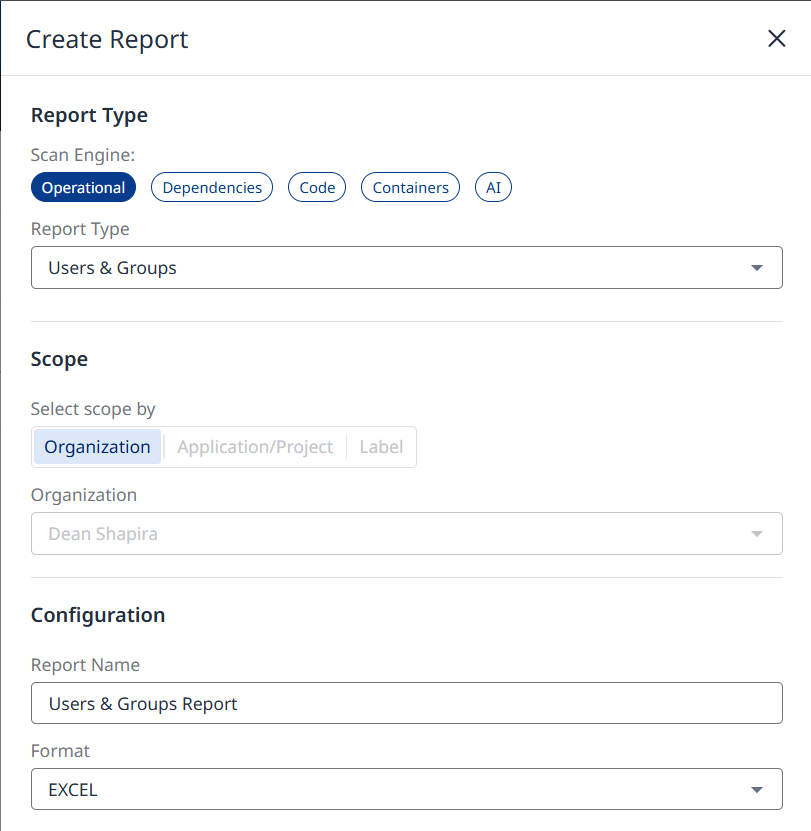
Note:
-
The report is available at the organization level.
-
The report is available in EXCEL, CSV, XML and JSON formats.
-
The report can be downloaded from the Reports page.
-
The report always contains all available fields, regardless of UI filters.
Report Data
User
<row>
  <userName>EXAMPLE_service_user</userName>
  <email>EXAMPLE_service_user@mend.io</email>
  <status>INVITED</status>
  <type>Service User</type>
  <groups>admins, users</groups>
</row
Group
<row>
  <groupName>users</groupName>
  <rolesByScope>ORG: DEMO_ORG, APPLICATION: DEMO_APP_1 (Member), APPLICATION: DEMO_APP_2 (Member)</rolesByScope>
  <description>All users in DEMO_ORG</description>
  <userCount>8</userCount>
</row>
API Access
POST /api/v3.0/orgs/{orgUuid}/users/reports/users
Path Parameters
-
orgUuid(string, required) — organization UUID.
Status & Download
After creation, use the following endpoints:
-
Get Report Status:
GET /api/v3.0/orgs/{orgUuid}/reports/{reportUuid} -
Download Report:
GET /api/v3.0/orgs/{orgUuid}/reports/download/{reportUuid}
Output Content (Users dataset only)
The generated file contains a single Users dataset, with:
-
User Name
-
Email
-
Status
-
Type
-
Groups (comma-separated)