.svg)
Overview
The Resolved Code Findings Report, available in the Mend AppSec Platform and via the API, generates exports of historically resolved findings for a specified timeframe (filtered by resolution date) on the base branch—helping security and compliance stakeholders track trends, evidence remediation, and manage rollout safely via feature flag control.
Getting it done
There are two ways to generate a Resolved Code Findings Report in the Mend Platform user interface:
-
Via the Reports page.

-
Via a chosen Application/Project.

Note: To investigate code findings, address false positives, and communicate results, please visit our Triage Your Code Security Findings document.
Generate the Code Resolved Findings Report via the Reports Page
-
Click the Reports button located in the top bar of the Mend Platform user interface:

-
Click the Create button (


-
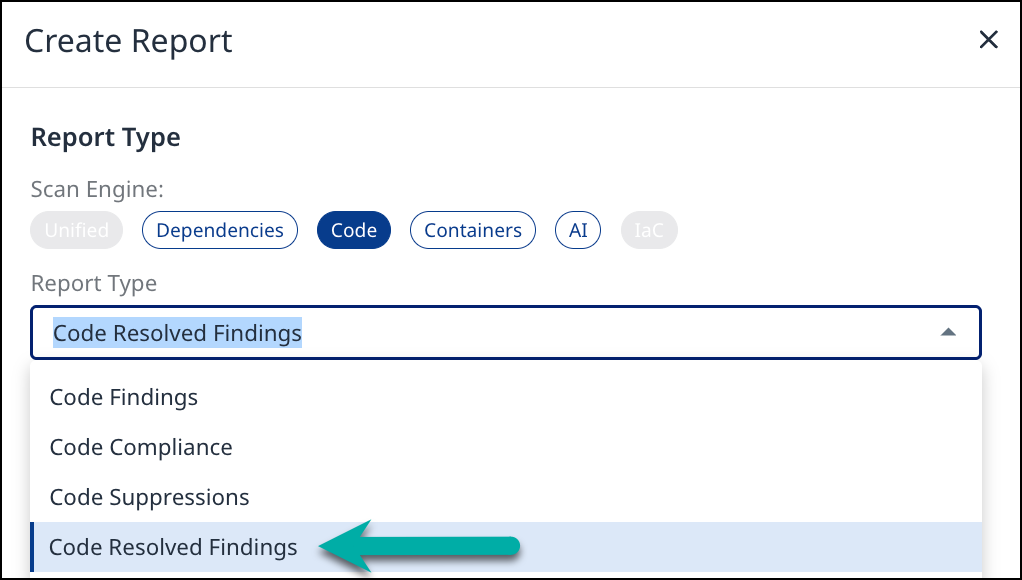
Select Code Resolved Findings from the drop-down list of the Create Report wizard:
-
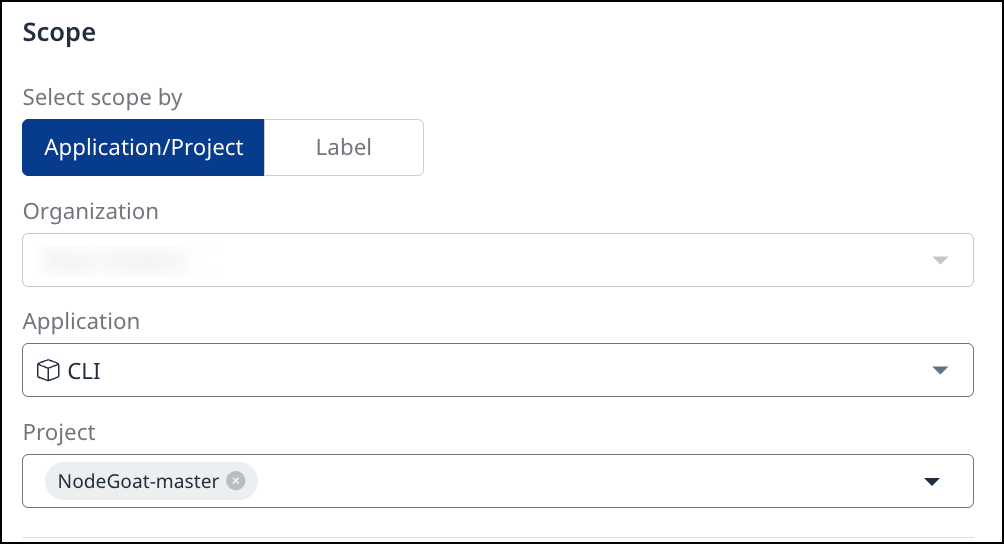
Scope - Define the report’s scope by specifying the Application/Project name or a specific Label(s). You can also narrow it down by selecting multiple Projects or a specific Project within that Application.
-
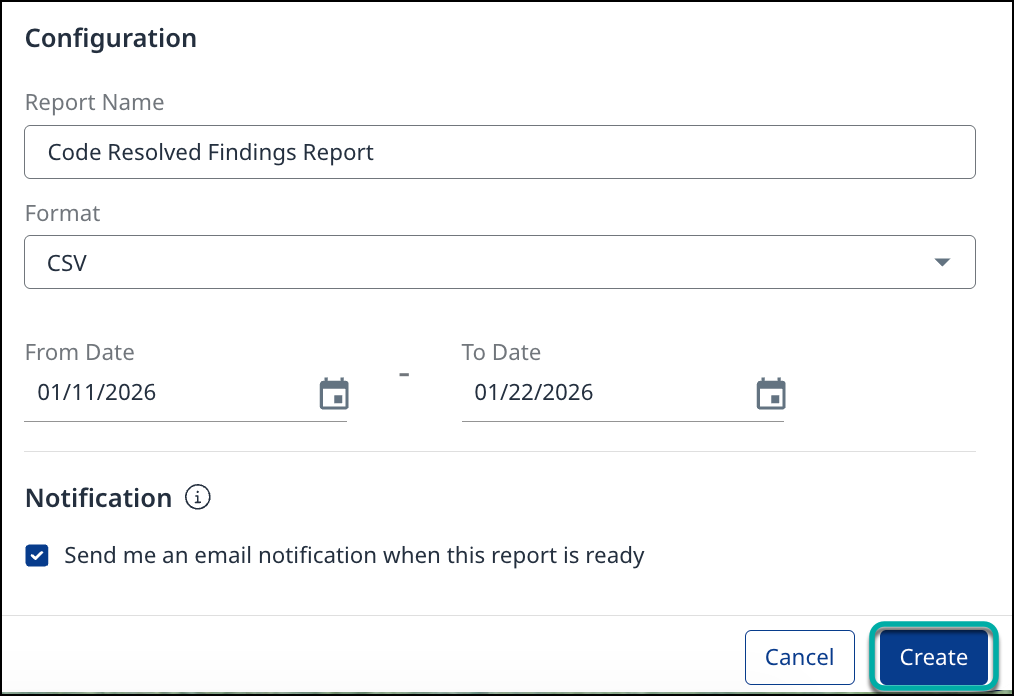
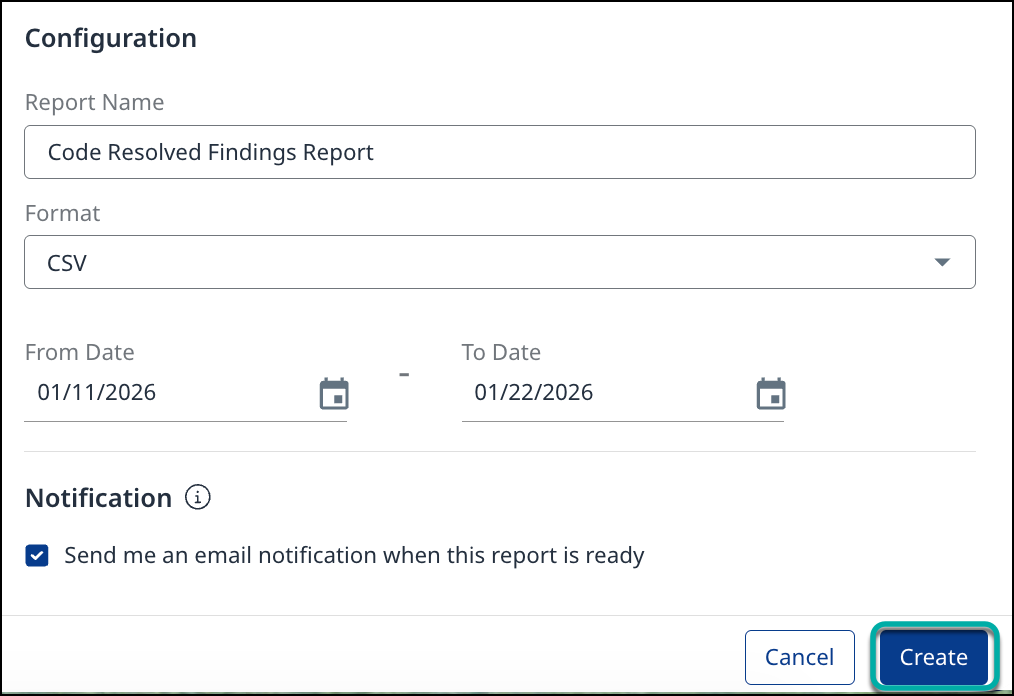
Configuration - Specify the Report Name, Format (JSON, XML, or CSV), and the date range for resolved findings historical data (inclusive of selected dates).
-
Click Create.
Generate the Code Findings Report via a chosen Application/Project
-
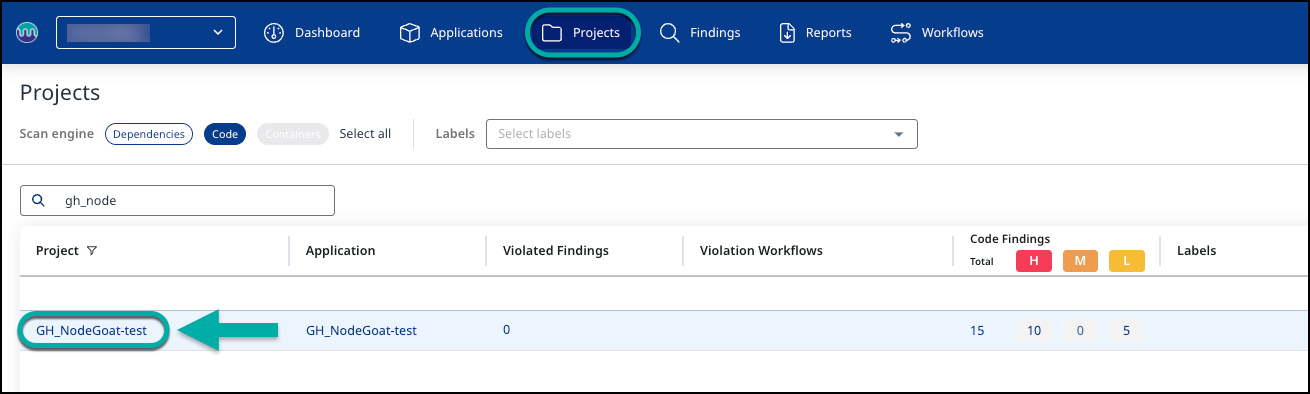
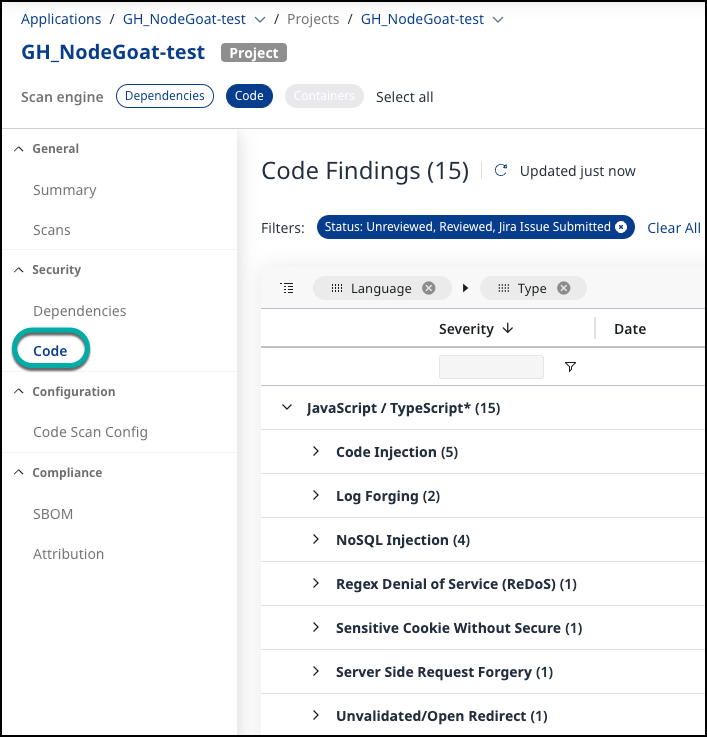
Navigate to the desired Application or Project and click on it.
-
Click Code on the left pane:
-
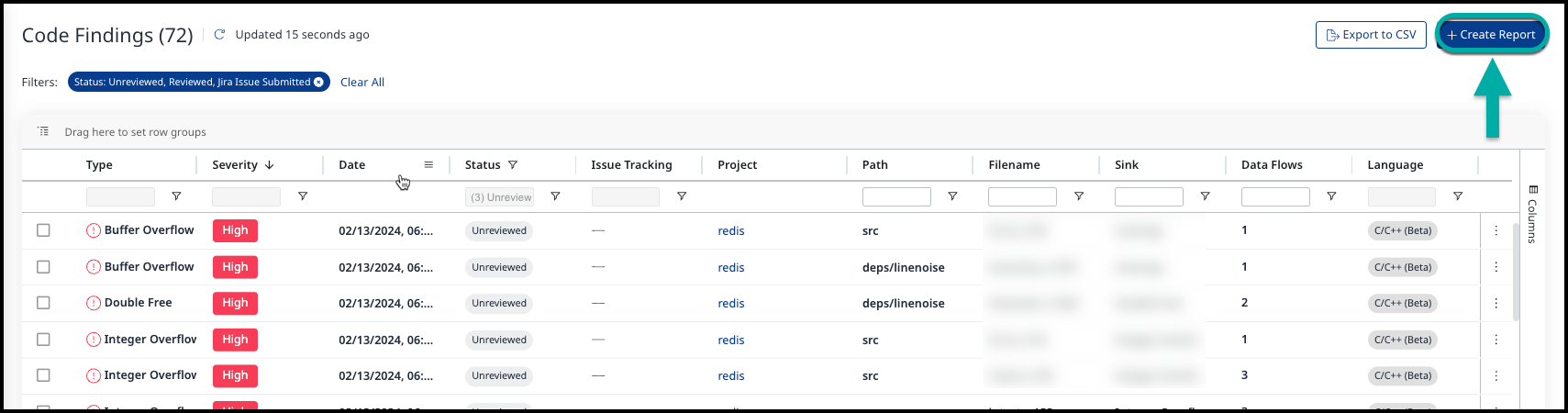
Click the Create Report button (

-
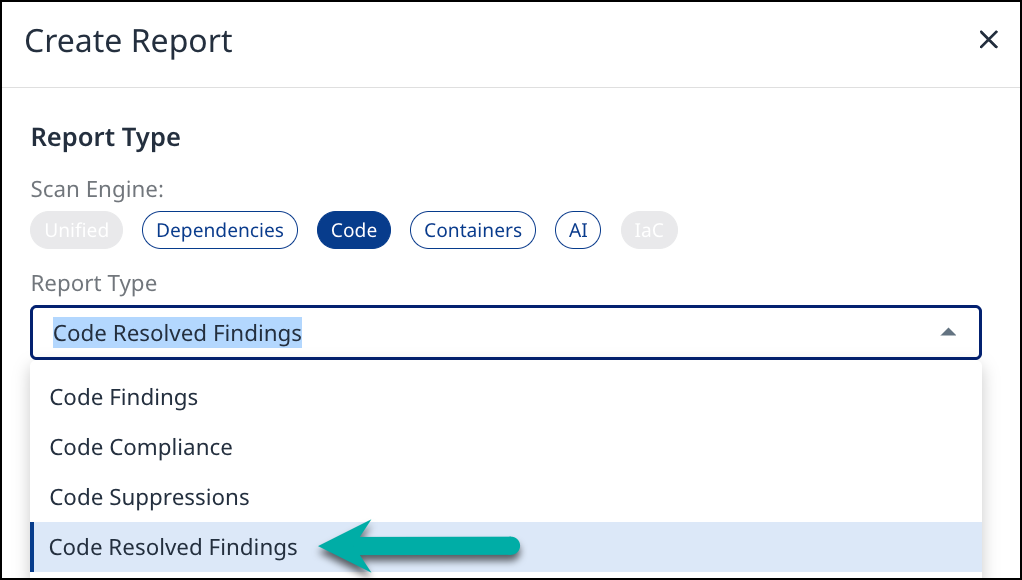
Select Code Resolved Findings from the drop-down list of the Create Report wizard:
-
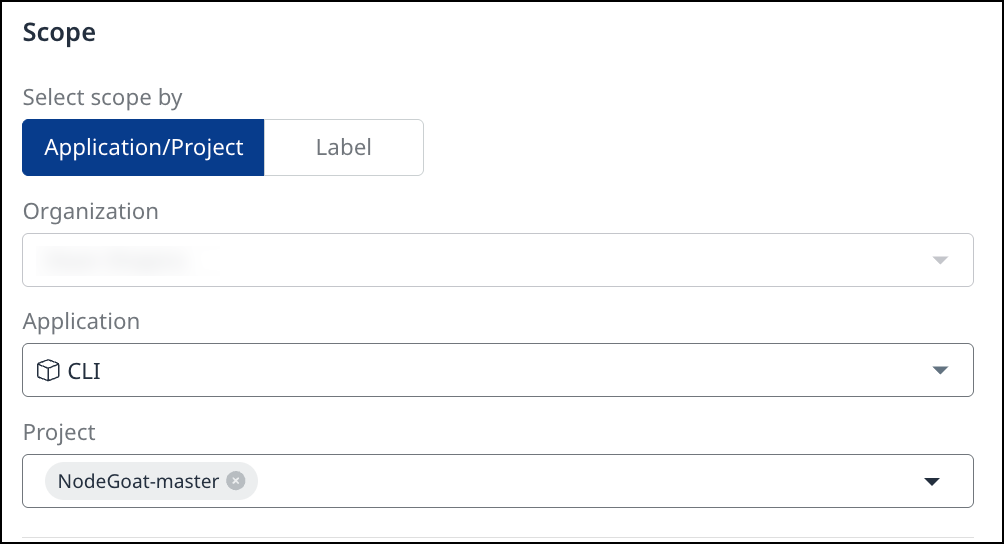
Scope: The scope option is locked based on the Application/Project or Label selection you made when accessing the Code Findings page.
-
Configuration - Specify the Report Name, Format (JSON, XML, or CSV), and the date range for the historical data of resolved findings.
-
Click Create.
Generate the Code Findings Report via API
For details on generating the Resolved Code Findings Report via API, refer to our Mend API 3.0 page:
Understanding the Resolved Code Findings Report
The Resolved Code Findings Report provides the following columns of information per library:
-
CWE ID: The Common Weakness Enumeration (CWE) identifier that classifies the type of weakness in the software.
-
Vulnerability Type: Identifies the specific type of security vulnerability detected in the code.
-
Severity: Indicates the level of risk associated with the finding.
-
Dataflows count: Number of dataflows detected in the resolved finding.
-
Sink: The location in the code where the potentially unsafe input is used could lead to an exploit.
-
Sink Line: The line number in the sink file where the input is processed or executed.
-
Sink File: The name of the file where the sink is located, which helps trace the vulnerability.
-
Project: The name of the project or repository where the resolved finding was detected.
-
Violations: Indicates if an automation workflow triggered a policy violation for the resolved finding.
-
Probability: Indicates whether the resolved finding has high or low probability.
-
Endpoint Access: Indicates if the resolved finding is accessible through an API endpoint.
-
Exploitable: Indicates if the resolved finding was detected by both SAST and DAST.
-
Detection Time: The date and time when the resolved finding was identified.
-
Resolution Time: When the resolved finding stopped being detected
-
Suppression Time: The date and time when the resolved finding was suppressed.
-
Suppressed by User Name: The name of the user who suppressed the resolved finding.
-
Suppressed Note: The user note provided when the resolved finding was suppressed (if applicable).