.svg)
Overview
The AI Bill of Materials (AI-BOM) report provides a structured inventory of the AI components detected in your repositories. It helps you understand which AI models, prompts, agent configurations, agents, tools, and MCPs are present in your software, and provides evidence showing where they were detected.
You can export the inventory in industry-standard CycloneDX 1.7 or SPDX 3.0.1 JSON format for governance, compliance, risk management, and integration with other software supply chain tools.
After reading this page, you should know how to create and download an AI-BOM, what information it contains, and which conditions can affect the contents of the report.
Getting it done
Before you Start
-
Make sure your organization has access to Mend AI scanning and the AI-BOM report.
-
Run an AI scan for the projects you want to include. The report uses the latest completed scan available when report generation starts.
-
Make sure you have permission to create and download reports for the selected scope.
Create an AI-BOM via the Mend Platform
-
Open Reports in the Mend Platform.
-
Start the Create Report flow.
-
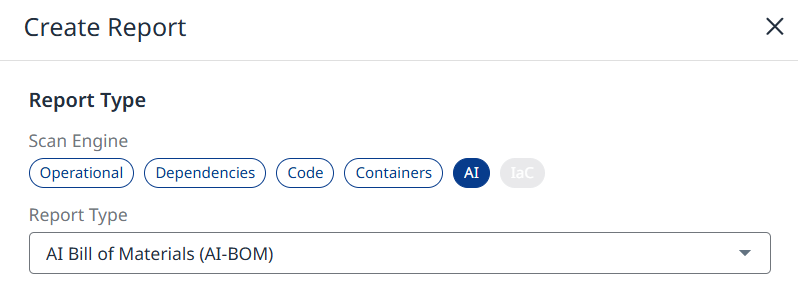
Under the AI scan engine, select AI Bill of Materials (AI-BOM).
-
Enter a name for the report, or use the default name AI Bill of Materials Report.
-
Select the scope of the report: Organization, Application/Project, or Label.
-
Select an SBOM standard: CycloneDX 1.7 or SPDX 3.0.1.
-
Confirm the report settings and submit the request.
-
Once the report is ready, you can download it from the Reports page.
Use the API
You can also request an AI-BOM through the AI reports API for a project, application, or organization. Requests are processed asynchronously, use the same permissions and delivery behavior as other Mend Platform reports, and accept the report name and export format in the request.
-
POST /v3.0/projects/{projectUuid}/ai/reports/AIBOM -
POST /v3.0/applications/{applicationUuid}/ai/reports/AIBOM -
POST /v3.0/orgs/{orgUuid}/ai/reports/AIBOM
Understand the Report
A report contains one AI-BOM for each eligible repository snapshot. When a request includes multiple snapshots, Mend packages the results as a ZIP archive with one JSON file per snapshot. A snapshot with no detected AI components produces a valid empty AI-BOM.
The report includes AI models by default. A Mend AI Core/Premium subscription will enrich the report with the following additional categories, if detected in your inventory:
-
System prompts
-
Agent configuration files
-
Agents
-
Tools
-
Model Context Protocol (MCP) components
Each finding includes identifying information and, where available, detection evidence such as the file path and line location. Relationships between AI components, such as an agent and its tools or models, can also be represented in the export.
Limitations
-
AI-BOM is available only when the required AI-BOM access and AI entitlement are enabled for your organization. The report is not shown in the Reports list and API requests are rejected when access requirements are not met.
-
The report is generated from the latest completed scan available when processing begins. Changes made after that point are not reflected in the report.
-
Repositories without a completed scan are not eligible and do not produce a file in the output.
-
Raw prompt text and raw configuration content are not exported. The report includes hashes, metadata, and detection evidence instead.
-
AI frameworks and libraries are not included in the AI-BOM. Use the Dependencies SBOM report for those.
-
Vulnerability data is not included in the AI-BOM, and the vulnerability-inclusion option is not available for this report.
-
MCP components are represented as generic data or software-file entities in the current report format rather than as native service entities.
Supported Formats
-
CycloneDX exports follow version 1.7.
-
SPDX exports follow version 3.0.1.
Both formats are JSON and are suitable for processing by compatible downstream tools.