
This report is only available with a Mend AI Core or Premium subscription.
Overview
The Conversational System Prompts report lists the system prompts detected in your repositories that Mend AI identified as conversational, meaning they drive an AI component that interacts with users in a chat-style exchange. Because these prompts shape how an AI application responds to user input, they are a natural starting point for reviewing exposure to risks such as prompt injection and sensitive information disclosure.
Use the report to see which applications and projects contain conversational system prompts, and where each prompt is defined in the code, so that you can prioritize them for review and governance.
Getting it done
Prerequisites
-
Make sure your organization has access to Mend AI scanning.
-
Run an AI scan for the projects you want to include. The report is based on the latest completed scan of each project.
-
Make sure you have permission to create and download reports for the selected scope.
Create the Report via the Mend Platform
-
Go to Reports in the Mend Platform.
-
Click the + Create button on the right.

-
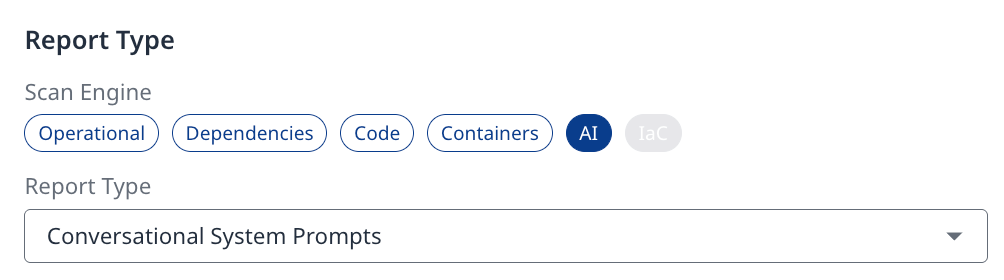
Under the AI scan engine, select Conversational System Prompts.
-
In the Scope settings, select Organization, Application/Project, or Label.
-
Specify the Report Name and Format (JSON/XML/EXCEL).
-
Click Create to generate your report.
-
Once the report is ready, download it from the Reports page.
Understanding the Report
The report contains one row for each conversational system prompt detected in a project. If the same prompt file exists in several projects, it appears once per project. In the Excel export, the data is provided in a single sheet named Conversational System Prompts.
|
Column |
Description |
|---|---|
|
Scan Time |
The date and time of the scan in which the system prompt was detected, in UTC (ISO 8601 format). For example, |
|
Organization |
The name of the Mend organization. |
|
Application |
The name of the application that contains the project. |
|
Project |
The name of the project in which the system prompt was detected. |
|
Entity Type |
The type of AI entity. In this report, the value is |
|
Entity Name |
The identifier of the system prompt, made up of the file path and line number where it is defined. For example, |
|
Location |
The file path and line number where the system prompt was detected in the repository. For example, |
|
Risk Factors |
The risk factors associated with the system prompt. In this report, the value is |
Example
|
Scan Time |
Organization |
Application |
Project |
Entity Type |
Entity Name |
Location |
Risk Factors |
|---|---|---|---|---|---|---|---|
|
2026-07-26T10:35:34Z |
my-org |
customer-support |
support-bot_main |
systemPrompt |
prompts/support_assistant.system_prompt:1 |
prompts/support_assistant.system_prompt:1 |
CONVERSATIONAL_TRUE |
|
2026-07-26T10:35:34Z |
my-org |
customer-support |
support-bot_main |
systemPrompt |
agents/research_crew.py:15 |
agents/research_crew.py:15 |
CONVERSATIONAL_TRUE |
Limitations
-
The report includes only system prompts that were identified as conversational. For a full inventory of the AI components detected in your repositories, including all system prompts, use the AI Bill of Materials (AI-BOM) report.
-
The raw text of the system prompt is not included in the report. Use the location to find the prompt in your repository.