.svg)
Overview
Users can review their applications or projects using the Applications or Projects views accessible via the top navigation bar:

Filtering
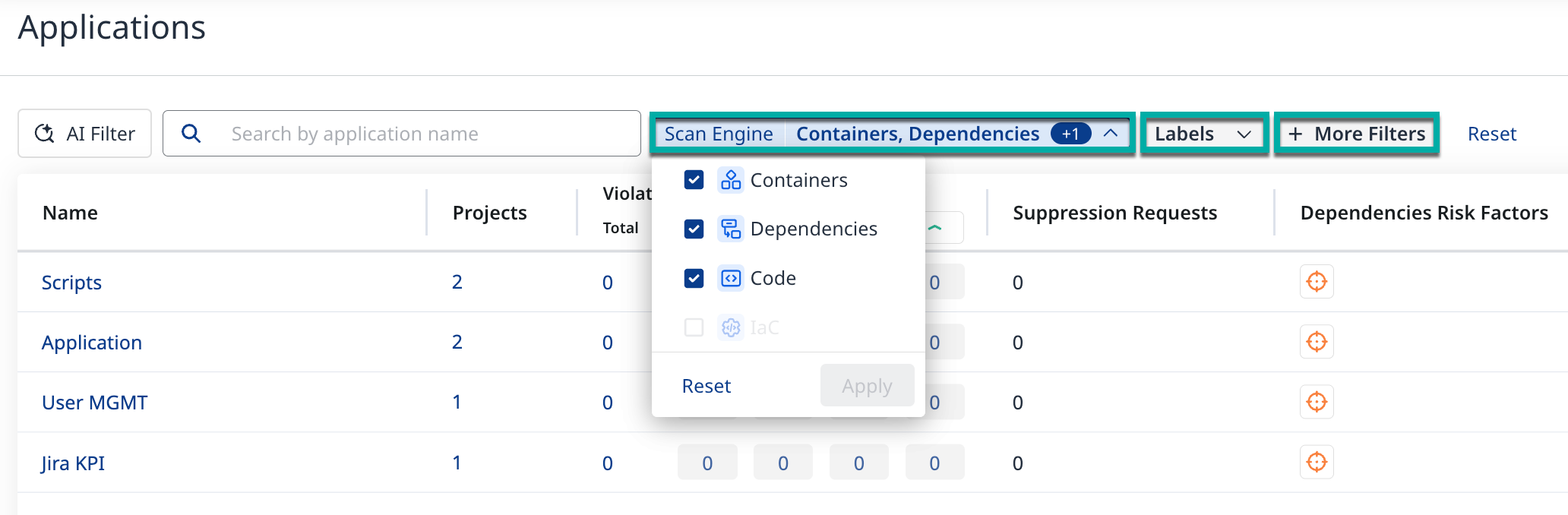
Use the filter buttons to list the applications or projects as per the desired criteria:
-
Scan Engine - Code (SAST), Dependencies (SCA), etc.
-
Selecting and deselecting engines may affect the metrics (e.g., number of Total Findings).
-
-
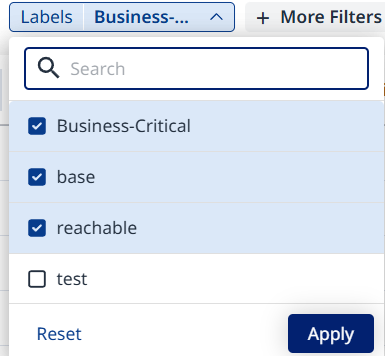
Labels - Use this filter to list applications that carry one or all of the specified label(s).
-
+ More Filters - allows you to add additional filters (e.g., Name, Tags, etc.).
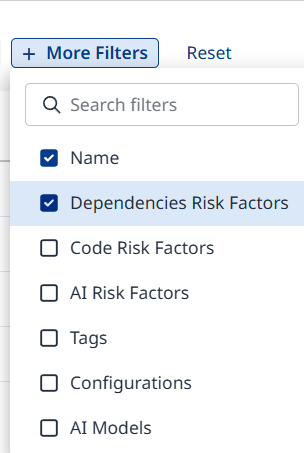
Once you’ve added the desired filter, click it to configure it. Click Apply to confirm.
Example: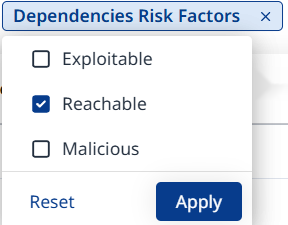
Use the Reset button to clear out currently applied filters.
AI-Powered Filtering (NLP)
The Applications and Projects views include an AI-powered filtering capability that enables users to filter results using natural language input.
Instead of manually configuring multiple filters, you can describe what you are looking for in plain language (for example, “show projects with critical vulnerabilities”), and the platform automatically translates the request into the appropriate filter configuration.
How It Works
The AI Filter is available from the left side of the Applications and Projects views.

You can:
-
Enter your own natural-language query, or
-
Select from a set of recommended prompts covering common scenarios such as:
-
Priority and volume (e.g., critical or high-severity findings)
-
Risk patterns (e.g., exploitable or reachable dependencies, license risk)
-
Scope and context–based filters
-
Once a prompt or query is submitted, the system:
-
Interprets the intent using natural language processing (NLP)
-
Applies the relevant filters to the table view
-
Updates the displayed applications or projects accordingly
The resulting filters behave the same as manually configured filters and can be further adjusted, combined with other filters (Scan Engine, Labels, More Filters), or cleared using Reset.
Data Usage and Privacy
The AI-powered filtering capability is designed with privacy and data minimization in mind.
Data Sent to the AI Model
The following information may be sent to the AI model to interpret the query and construct filters:
-
User’s natural-language query text
(for example, the text entered in the AI Filter input)
-
Filter metadata, including:
-
Field names
-
Field types
-
Field descriptions
-
-
Sorting metadata, including:
-
Sortable field names
-
Field descriptions
-
Data Not Sent to the AI Model
The following information is not sent or processed:
-
User credentials
-
Personal data (for example, email addresses or usernames)
-
Organization-specific or sensitive business data beyond the internal filter metadata described above