.svg)
Overview
The AI entity tables (Models, System Prompts, Agent Configurations, Agents) allow you to take action on your detected AI entities via the kebab triage menu and bulk action bar.
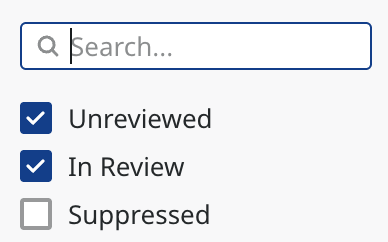
Statuses:
-
Unreviewed (default) — initial state
-
In Review — set via the kebab triage action
-
Suppressed — set via the suppress action
The default filter shows Unreviewed + In Review and hides Suppressed AI entities.
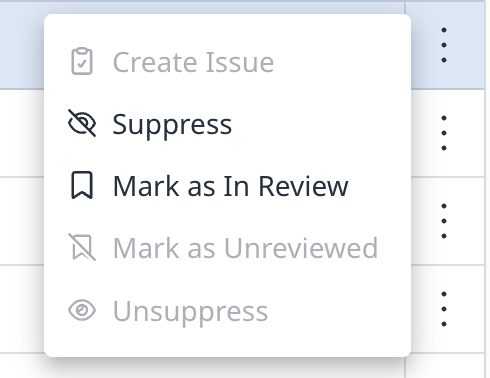
Triage actions include:
-
Suppress / Unsuppress
-
Mark as In Review / Mark as Unreviewed
Prerequisites
-
To suppress findings in the Mend Platform, the user must have one of the following roles:
-
Admin
-
Security Analyst
-
Suppress Dialog
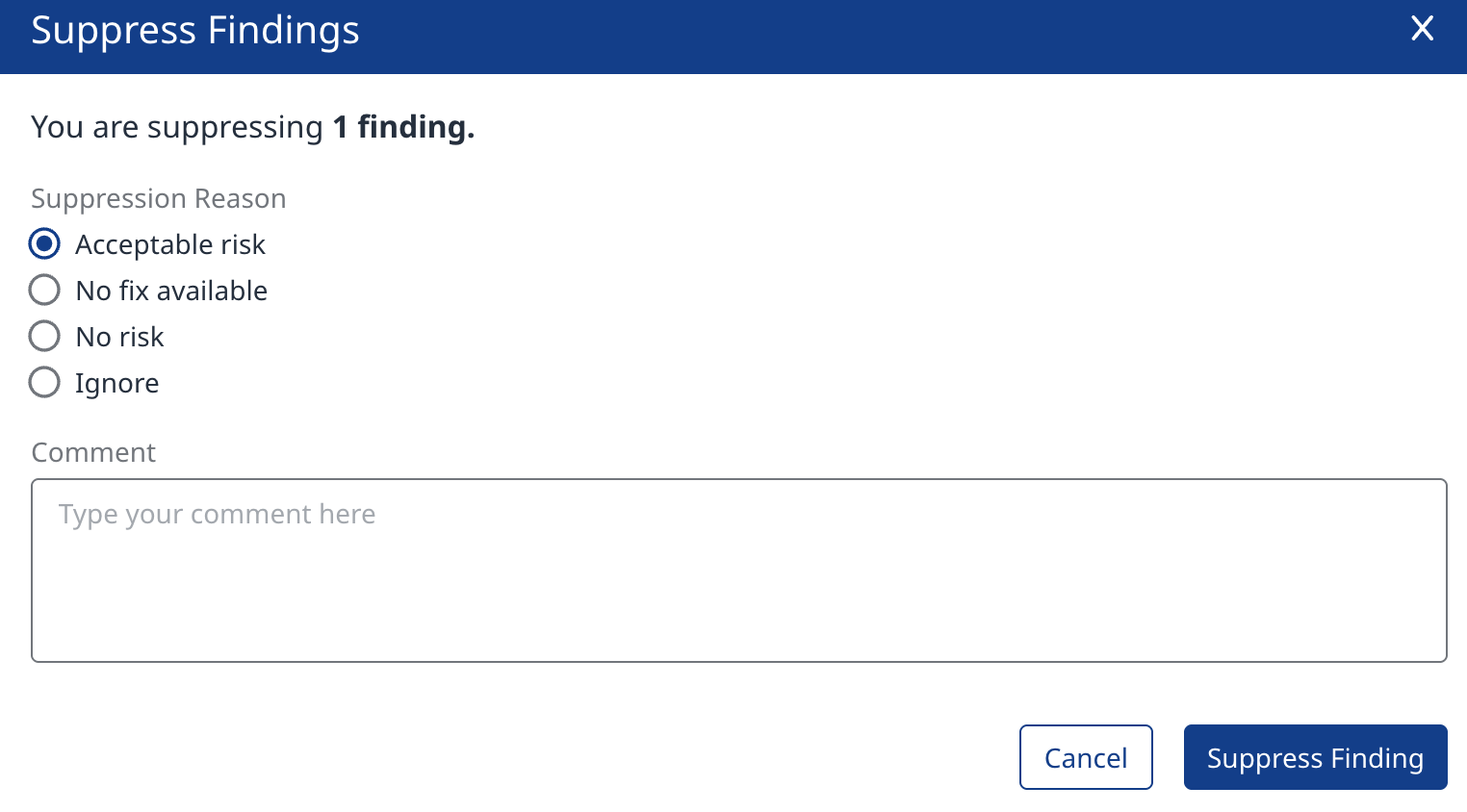
When clicking Suppress (via kebab or bulk action), a dialog appears with:
-
Suppression Reason: Acceptable risk, No fix available, No risk, Ignore
-
Comment (free-text): Optional for predefined reasons; required when "Ignore" is selected.
-
Buttons: Cancel and Suppress Finding
Bulk Selection Behavior
-
The header "select all" checkbox selects only the entities on the current page.
-
Selections accumulate across pages — selecting on other pages adds to the existing selection rather than replacing it.
-
The floating action bar shows a running total count across all pages (e.g., "50 Selected").
-
Bulk action availability is dependent on the combined status of all selected AI entities, e.g., a mix of statuses can render only Suppress available.

Suppression Behavior
-
Suppressing an AI entity suppresses all findings associated with it — both findings present at suppress-time and findings discovered on that AI entity in later scans.
-
Unsuppress is symmetric: Unsuppressing reactivates all the entity's findings, including those auto-suppressed while it was suppressed.
-
Suppressed entities are excluded from default views:
-
Statistics
-
Reports
-
Dashboards
-
Aggregative tables
-
API responses
-
-
Suppressed AI entities remain retrievable on demand — via the in-table status filter, and, where AI reporting/export exists, via an include-suppressed option.
-
Suppress / Unsuppress actions are logged in the Activity Log.
Suppression Scope
-
Each AI entity is a distinct per-occurrence instance; suppression acts at the occurrence level. The same AI entity appearing elsewhere (another project/path) is a separate entity and remains active.
-
Entry points: an entity can be suppressed from the project view or the application (aggregative) view; in both, the action targets the specific occurrence row.
-
AI agents are composed of other AI entities like models and system prompts. Suppression acts independently on each — there is no cascade between an agent and its components:
-
-
Suppressing an agent suppresses the agent only. Its components retain their own status and remain visible in their respective tables.
-
Suppressing an AI entity that composes an agent removes the AI entity from the agent's composition view; the agent itself is unaffected.
-
Before confirming, the Suppress dialog for a component that composes an agent displays a notice that this entity composes one or more agents, so the user understands the downstream effect.
-
Limitations
-
Supported for new scans only (scans performed after August 9th, 2026).
-
Changing the status of Hugging Face models is not currently supported.