.svg)
Notes:
-
This feature is only available with Mend AI Core or Mend AI Premium.
Contact your Customer Success Manager at Mend.io for more details. -
To take action on detected agent configurations, refer to the Triage article.
Overview
AI agents are increasingly defined through version-controlled configuration files that specify prompts, tool access, permissions, workflows, and integrations. While often treated as simple configuration, these files define the AI system’s behavior and attack surface.
Misconfigured agent configurations can enable:
-
Command execution
-
Credential exposure
-
Data exfiltration
-
Permission escalation
-
Policy bypass
-
Prompt injection
Mend AI extends static security analysis to AI agent configuration files — treating them as code and enforcing security controls before they reach production.
The capability provides:
-
Discovery of agent configuration files
-
Static risk analysis
-
Severity classification
-
Actionable mitigation guidance
Agent configuration scanning supports development-time assistants (such as Cursor, Claude Code, and Windsurf), declarative runtime agents (such as OpenClaw), and other configuration-driven agent frameworks.
This enables organizations to secure the AI control plane with the same discipline applied to application code and Infrastructure as Code.
Prerequisites
-
A relevant Mend AI entitlement for your organization.
-
Your organization’s consent to using AI features (via an addendum in your Mend.io contract).
The Agent Configurations Table
When in the context of an application/project, click the Agent Configurations button on the left-pane menu. This will take you to the Agent Configuration table, listing information about the configuration risk and the aggregated findings associated with it.
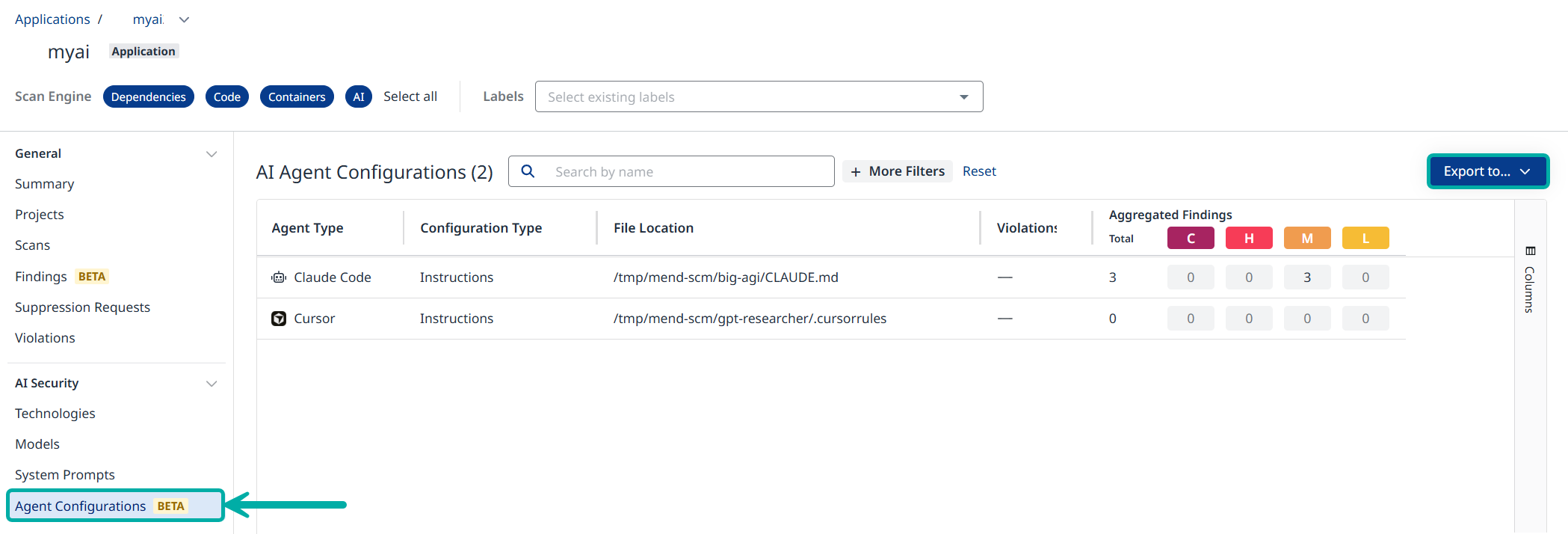
Filter and Export
Use Search by name and + More Filters to filter the data in the table

At any point the data displayed in the table can be exported to CSV or JSON using the Export to… button on the right.
The Agent Configuration Side-Panel
Click anywhere on a row in the table to spawn its side-panel, listing information about the findings associated with the configuration risk, including their Description, ID, Severity, etc.
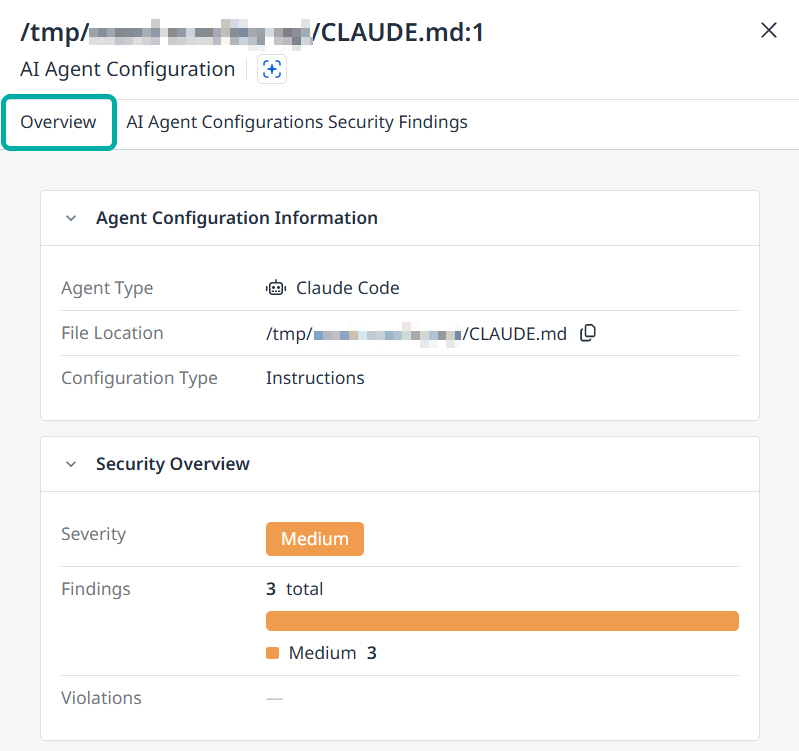
The Overview Tab
The side-panel will display the Overview tab by default. This tab contains the following information about the selected agent configuration:
-
Agent Configuration Information
-
Agent Type
-
File Location (includes a Copy to Clipboard button)
-
Configuration Type
-
-
Security Overview
-
Severity
-
Findings
-
Violations
-
The Security Findings Tab
Switch to the AI Agent Configurations Security Findings tab to list all the security findings detected for the selected agent configuration.
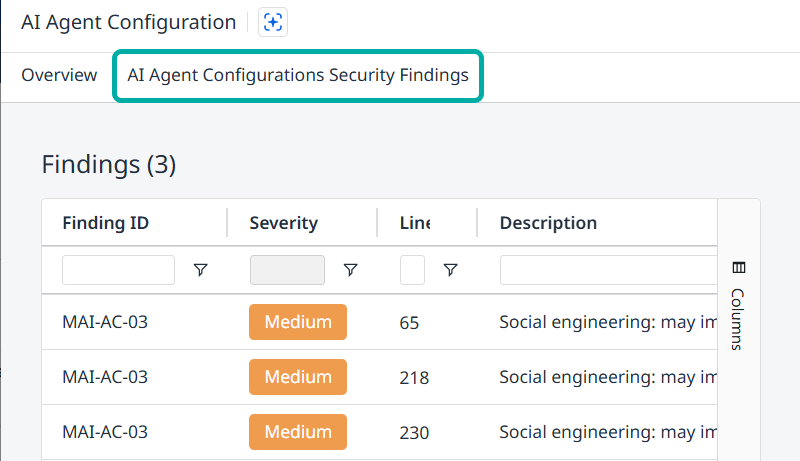
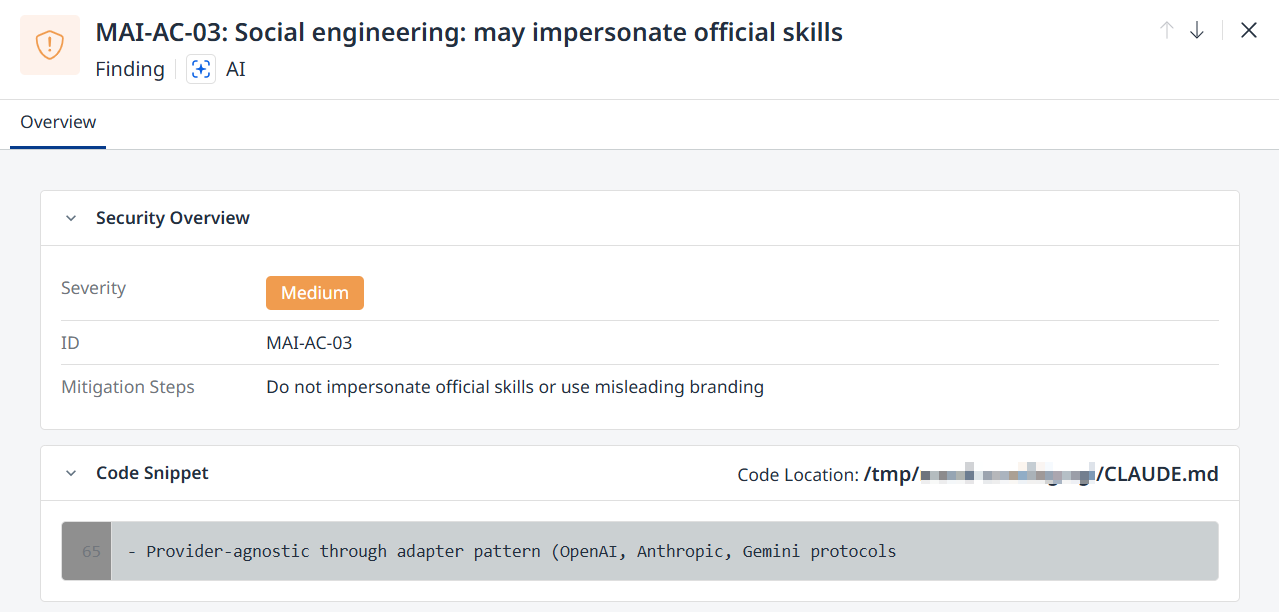
Click a row to display additional information about the security finding in question:
-
Description (displayed at the top)
-
Security Overview
-
Severity (Low / Medium / High)
-
ID
-
Mitigation Steps
-
-
Code Snippet and Code Location
Supported Agent Configuration Files
The following agent configuration formats are currently supported:
|
Agent / Platform |
Supported Configuration Files |
|---|---|
|
Cursor |
|
|
Claude Code |
|
|
GitHub Copilot |
|
|
OpenAI Codex CLI |
|
|
Windsurf |
|
|
Aider |
|
|
Continue.dev |
|
|
OpenClaw |
|
|
Generic Agent Definitions |
|
Additional Tables and Widgets
-
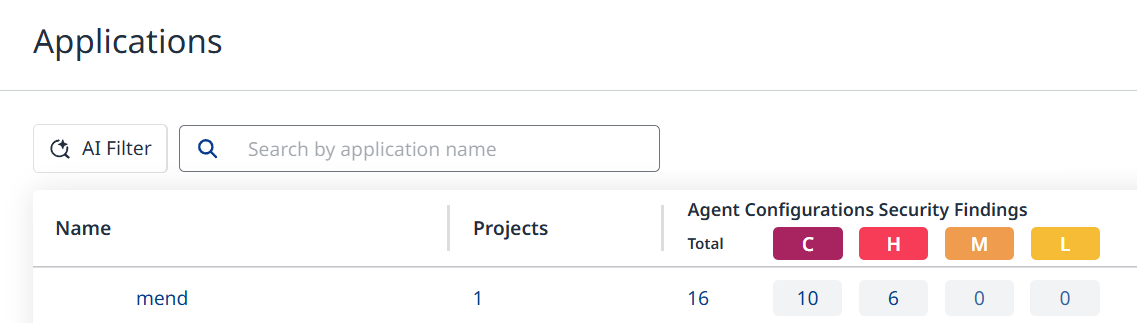
The AI Agent Configuration Findings are also listed under the Agent Configurations Security Findings column in the Applications and Projects views. If the column is not visible, make sure to add it via the Columns menu on the right.
-
Relevant information is also available via the AI Security Dashboard in the form of the Vulnerable Agent Configurations widget, which displays the number of vulnerable agent configurations out of the total number of agent configurations.
Clicking the main number will take you to the Applications view.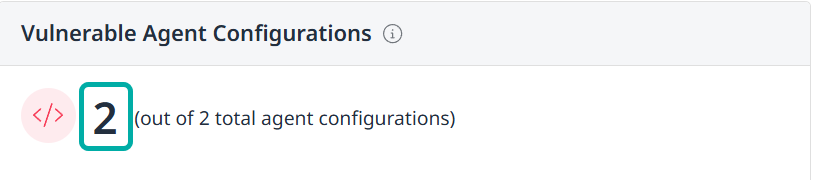
Risk Coverage
Agent configuration files are evaluated against a set of AI-specific security controls.
|
Risk |
Category |
Severity |
What It Detects |
|---|---|---|---|
|
MAI-AC-01 |
Prompt Injection |
High |
Ignore instructions, role hijacking, reveal system prompt, conceal from user, etc. |
|
MAI-AC-02 |
Command/Code Execution |
High |
Shell, curl/wget, sudo, rm -rf, eval/exec, subprocess, etc. |
|
MAI-AC-03 |
Social Engineering / Approval Bypass |
High |
Urge always approve, false trust, reassure user |
|
MAI-AC-03 |
Social Engineering |
Medium |
Impersonate official skills / misleading branding |
|
MAI-AC-04 |
Permission Escalation |
High |
Blanket allow, bypass approval, auto-approve, wildcard tools |
|
MAI-AC-05 |
File Exfiltration |
Medium |
Read .env, SSH keys, credentials; send/upload data |
|
MAI-AC-06 |
Credential Access |
High |
Eextract/harvest credentials, output env vars, embed in output |
|
MAI-AC-07 |
Network Exfiltration |
High |
Webhook sites, Discord/Telegram, paste sites, tunnels, send to URL |
|
MAI-AC-08 |
Persistence |
High |
Crontab, shell profiles, git hooks, startup/autostart |
|
MAI-AC-09 |
Obfuscation |
High |
Zero-width chars, homoglyphs, encoding, XOR, Base64 payloads |
|
MAI-AC-10 |
Hardcoded Secrets |
High |
AWS, Stripe, Google, GitHub, JWT, private keys, DB URLs |
|
MAI-AC-11 |
Supply Chain |
High |
Hidden file with executable code |
|
MAI-AC-12 |
Resource Abuse |
High |
Infinite loops, fork bomb, os.fork |
Each finding includes:
-
Risk category
-
Severity
-
Affected file
-
Code snippet (where applicable)
-
Mitigation guidance