.svg)
Note: This feature is only available with Mend AI Core or Mend AI Premium.
Contact your Customer Success Manager at Mend.io for more details about Mend AI.
Overview
This article covers the instructions on how to create workflows to streamline the automation of security and compliance processes in your organization. These templates allow you to quickly implement best practices for handling Mend AI threats to ensure efficient risk management.
Note: For general guidance on creating and managing automation workflows in the Mend AppSec Platform, refer to the Create an Automation Workflow in the Mend Platform documentation.
Getting it done
Log into the Mend AppSec Platform and click Workflows in the top navigation bar.
On the right, you can choose between Create From Template and Create Blank Workflow.

Create an Automation Workflow from a Template
-
Click Create From Template. This will take you to the Template Gallery.
-
Select ‘AI’ on the left-pane menu to list the available AI Templates.
Choose an available template.
-
Llama License Family - This workflow enforces compliance with the Llama license family, addressing key risks:
-
Requires attribution ("Built with Llama") in products and documentation.
-
Mandates explicit approval from Meta for organizations with over 700 million monthly active users.
-
Llama 2: Available for commercial use in the EU under Meta's licensing terms.
-
Llama 3 and 3.2: Certain versions, especially multimodal models, are restricted in the EU due to regulatory concerns.
-
-
Once you select a template, you will be taken to the Create Workflow page with all pre-defined settings applied. You can save this workflow as the provided Mend template or customize it to your specific needs. Make sure to use the AI Analysis Triggering Event.
Note: For more information about the configuration parameters of a Workflow, please refer to the Workflow configuration parameters in the Mend Platform documentation.
-
For more information about the available event conditions, please refer to this article.
-
Click the Create button at the bottom-right to save this workflow.
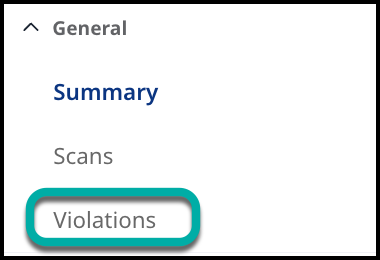
Note: Mend AI workflow violations will be visible in the violations table, like any other violation.
The Violations table view can be accessed directly from a specific Application or Project under the General section in the left-side navigation menu.
Create an Automation Workflow from Scratch
-
Click Create Blank Workflow within the Workflows page. This will take you to the workflow creation page. This will take you to the Create Workflow page.
-
Customize your workflow. Make sure to use the AI Analysis Triggering Event.
-
Click the Create button at the bottom-right to save this workflow.
Workflow Considerations
It is recommended to define the Finding Type in tandem with other conditions.
Finding Types
-
MAI - An AI Model vulnerability
-
AIWE - A system prompt weakness
-
Model - A detected AI model
-
System Prompt - A detected system prompt
Example
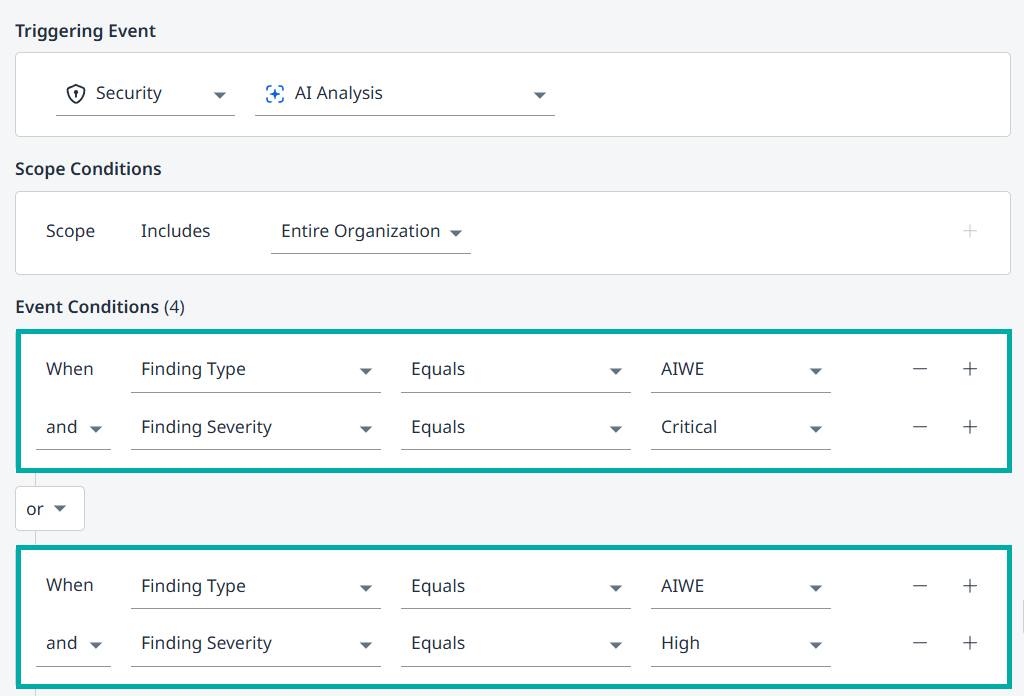
The depicted workflow addresses system prompt findings (AIWEs) of Critical and High severities.