.svg)
Overview
Mend provides a one-way integration with Port.io that allows you to model Mend.io projects and SCA (Software Composition Analysis) security findings in your software catalog and ingest Mend data into Port.io. This helps engineering teams see which services own vulnerable libraries and track remediation progress alongside the rest of the catalog.
Getting it done
This article explains how to configure and connect the Mend Platform with Port.io. For more details on the integration, visit the Port.io documentation.
Prerequisites
-
A Mend account with read access to your organization's Mend projects and findings.
-
Your Port.io user role is set to Admin.
-
The activation key embeds the integrator user (`integratorEmail` / `userKey`), the Mend environment URL, and the organization UUID — the integration derives everything else from it, so no other Mend credentials are needed.
Retrieve your Activation Key from the Mend Platform
-
Log into your organization via the Mend Platform.
Note: Make sure you are an organization administrator. -
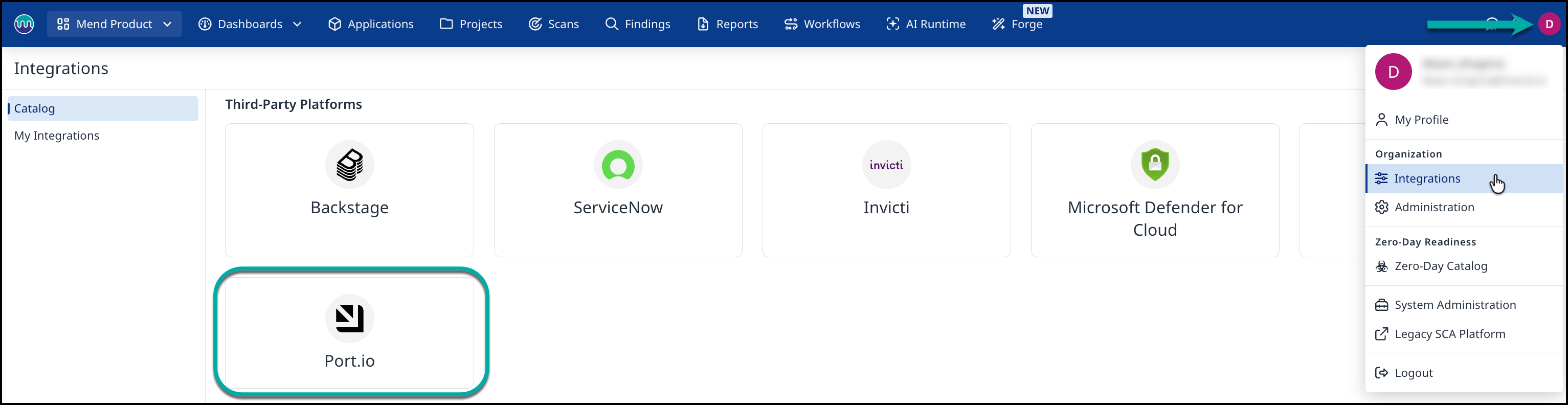
Navigate to your profile icon in the top-right corner, then select Integrations:
-
Click the Port.io card, then click the Get Activation Key button to get your activation key for the Port.io Integration.

-
Copy and save this value for the next step.
Configure the Mend Integration in Port.io
Details about where to enter the generated activation key inside Port.io and how to map the Mend projects to Port.io data sources can be found here.