.svg)
Note: Mend integration with ServiceNow is currently in open beta. To join the beta program, please contact your Customer Success Manager at Mend.io.
Overview
The Mend.io AVR Integration for ServiceNow fetches Applications, Projects, Code Findings (SAST), and Dependency Findings (SCA) in a predefined sequence.
Sometimes users want to fetch only SAST or only SCA. To do this, you must deactivate the unwanted integration and adjust the sequence accordingly.
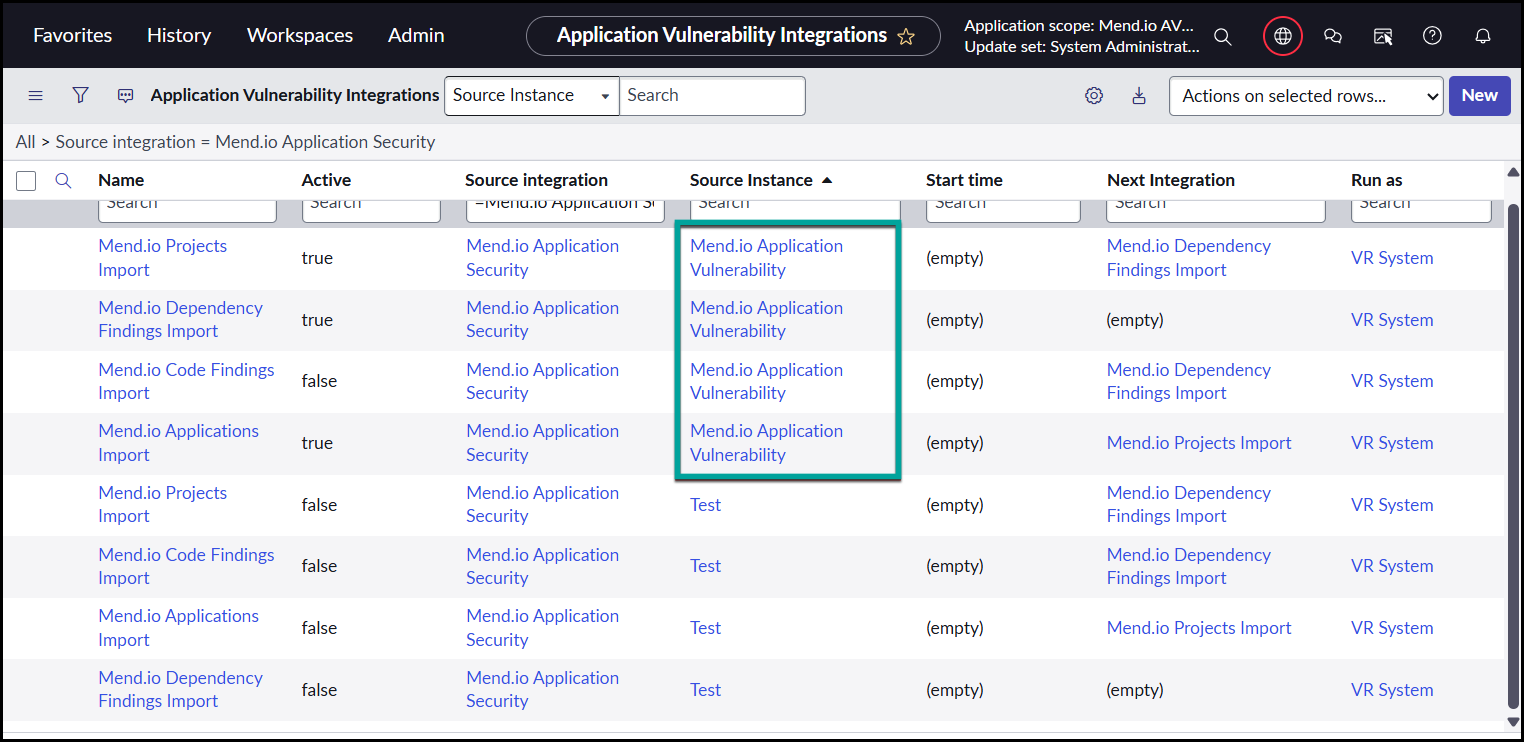
Note: All integrations in the sequence must belong to the same Source Instance. If you have multiple Mend.io platform connections (multiple Source Instances), ServiceNow generates duplicate integration sets. Ensure you update the integration under the correct Source Instance before making changes.
Getting it done
Scenario 1: Fetch Only SCA (Dependencies)
Deactivate SAST (Code Findings)
1. Navigate to: Mend.io AVR Integration → Administration → AVR Integrations.
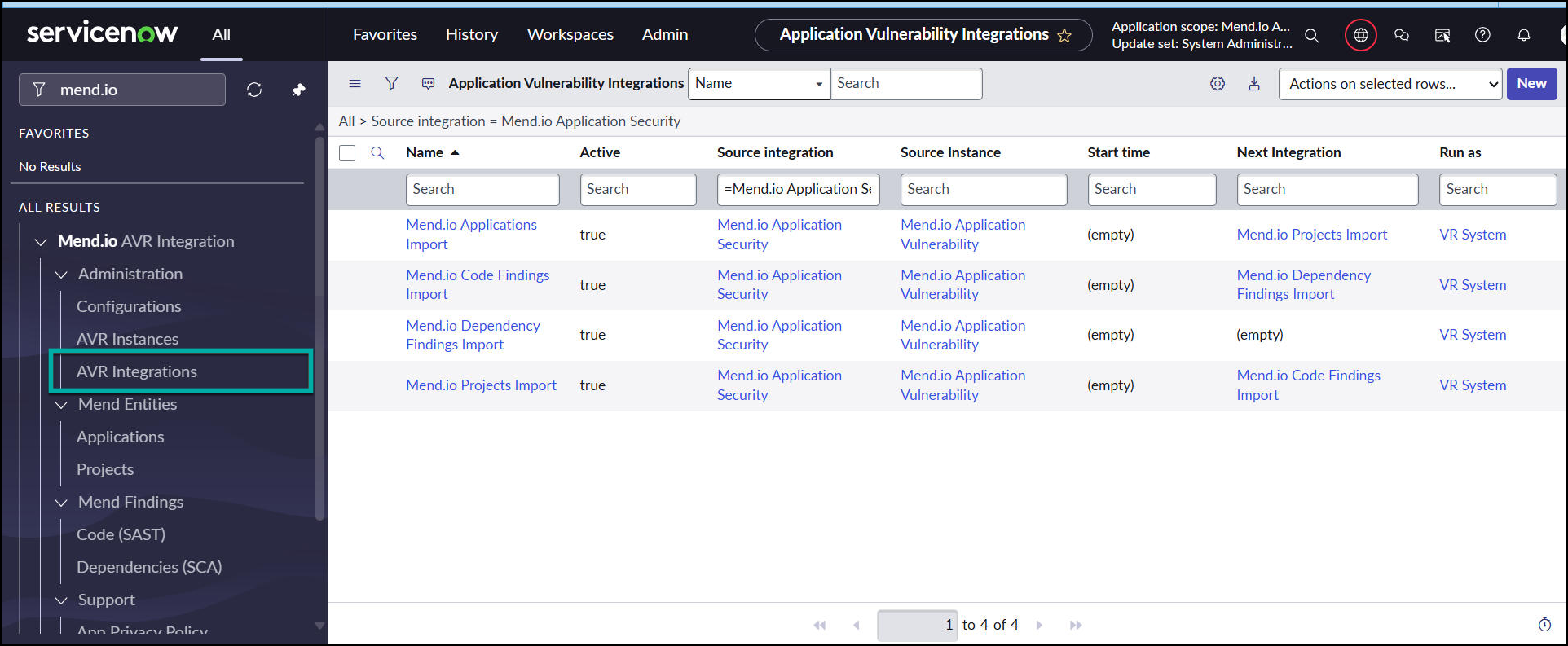
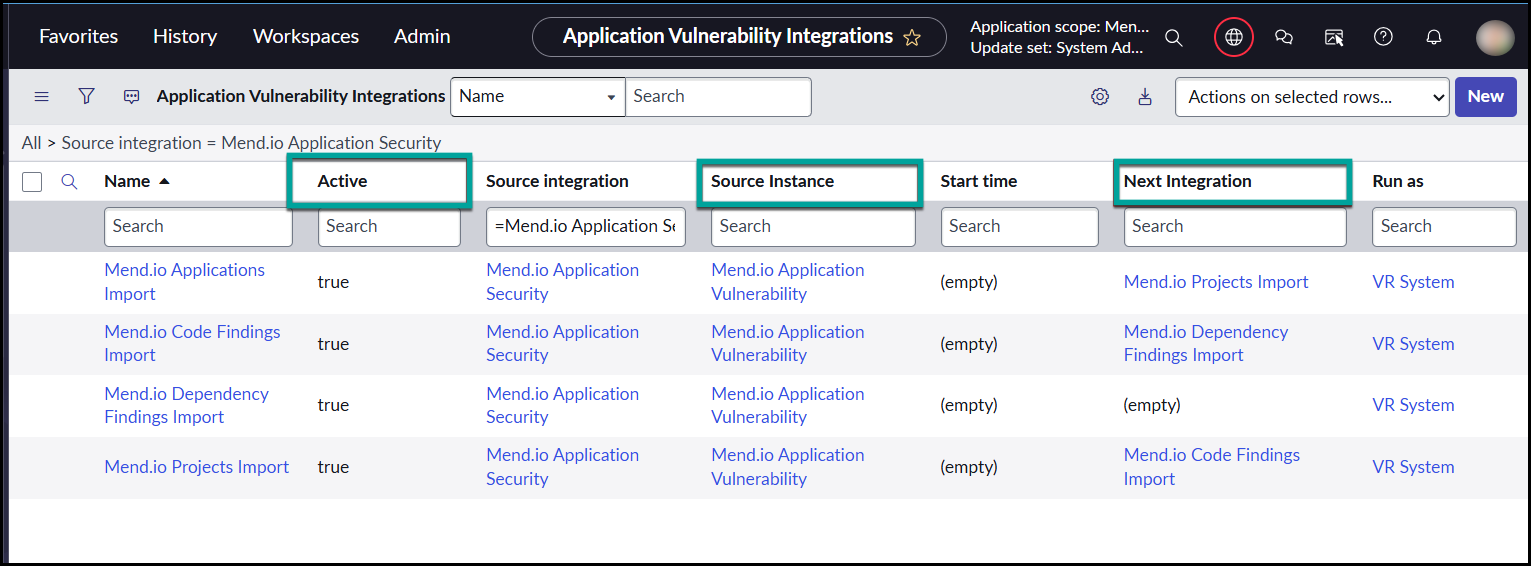
2. Add Active, Next Integration, and Source Instance fields to the list view – This ensures you are modifying the correct integration set.
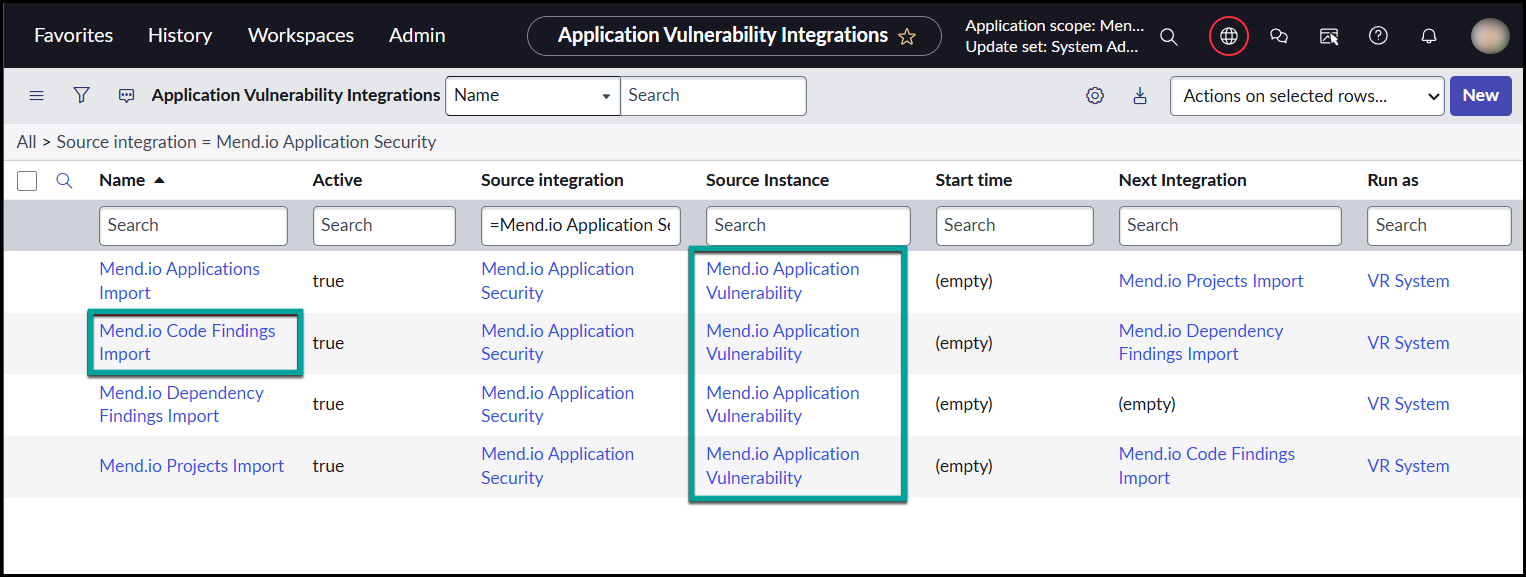
3. Locate the “Mend.io Code Findings Import” record for the same Source Instance as your Application and Project imports.
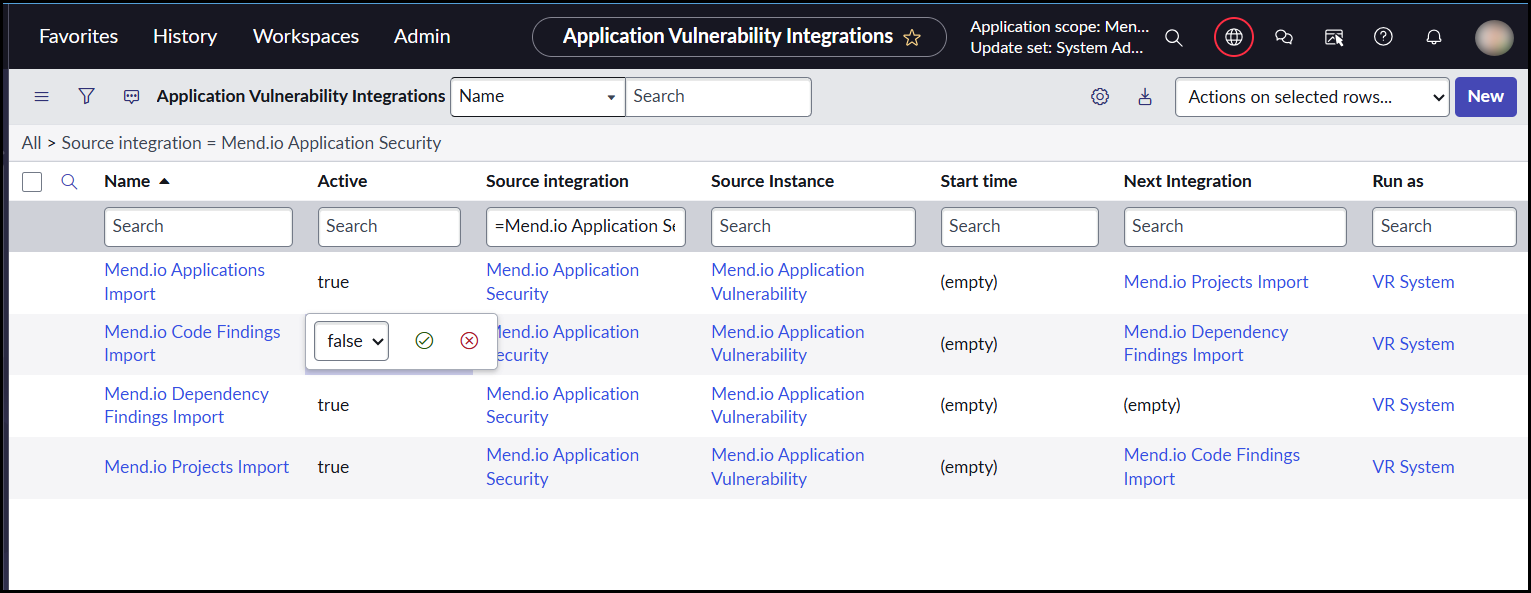
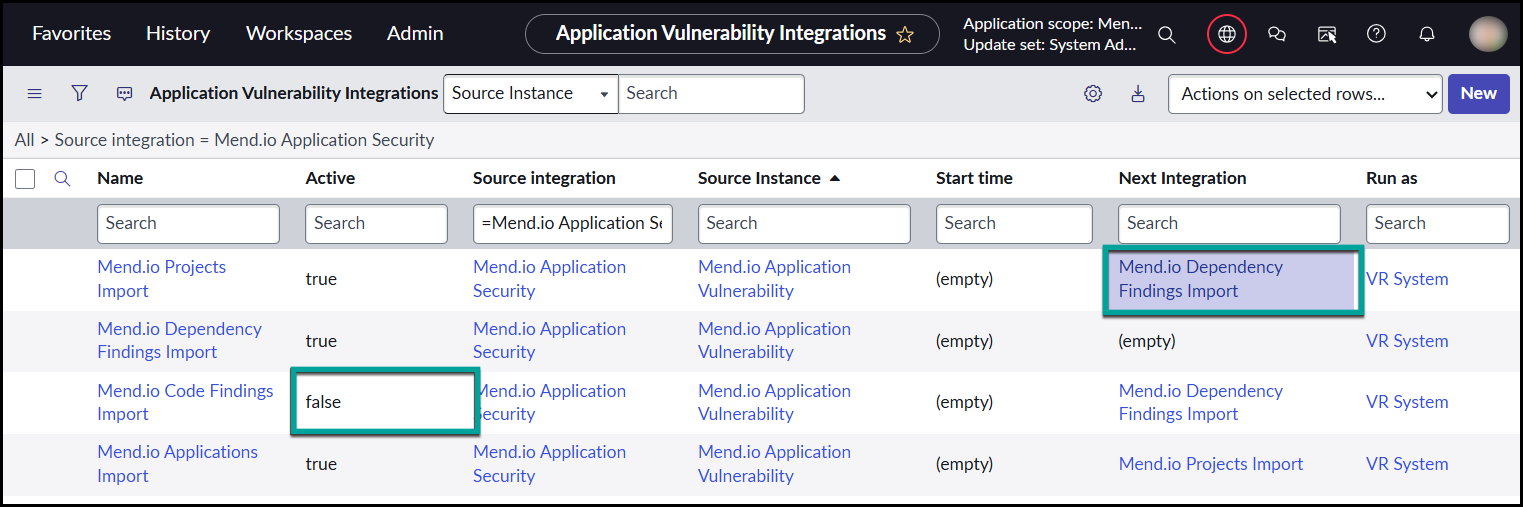
4. Set Active = false to deactivate SAST (Code Findings).
5. Now update the sequence: ○ Find the integration record where “Mend.io Code Findings Import” is listed in the Next Integration field. (Usually “Mend.io Projects Import”, under the same Source Instance)
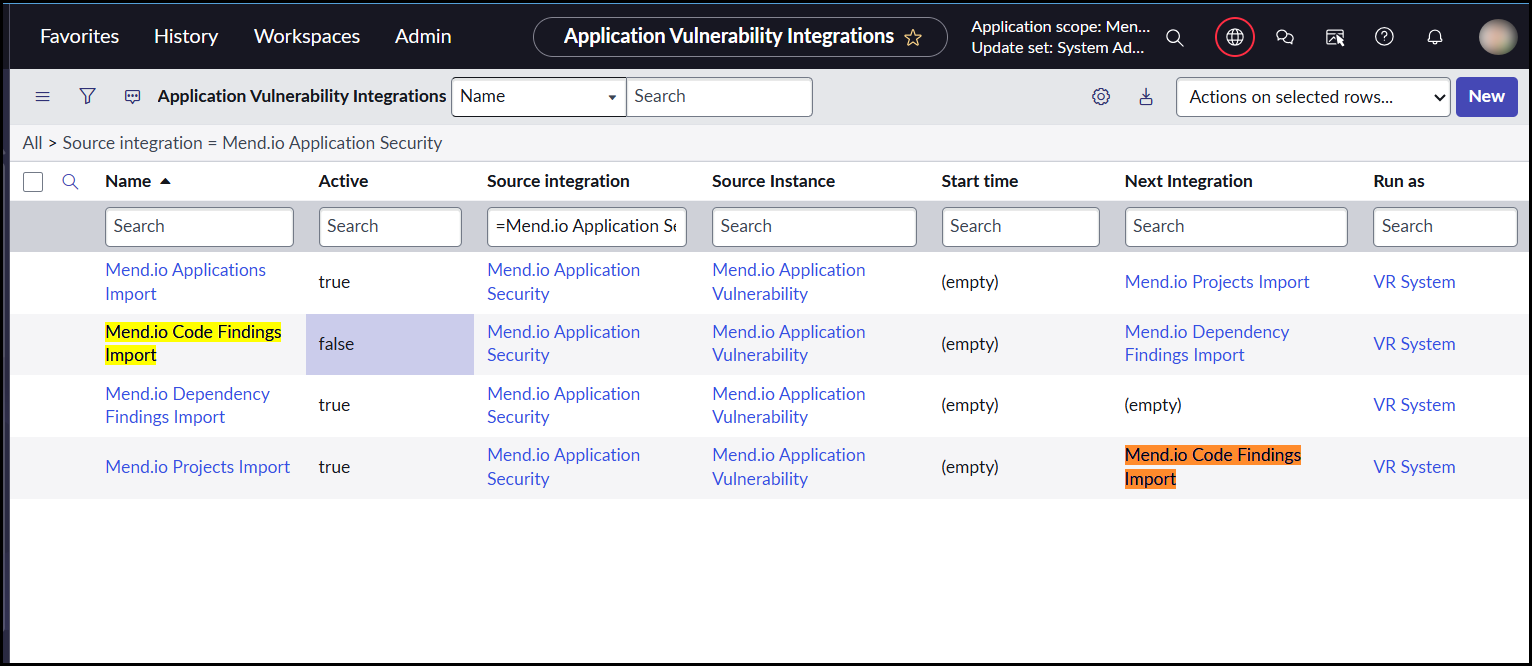
6. Open that record (e.g., Mend.io Projects Import) and update the Next Integration to skip Code Findings: Next Integration = Mend.io Dependency Findings Import (Make sure this Dependency Findings record also belongs to the same Source Instance)
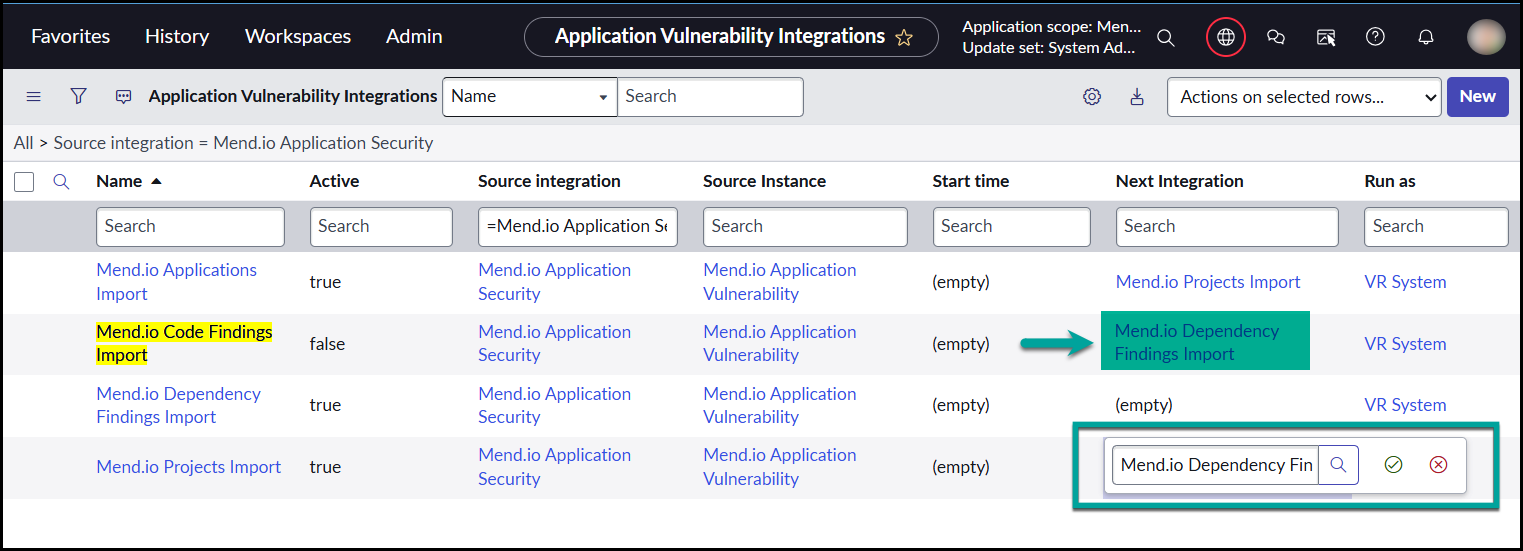
This completes the adjustment for fetching only SCA.
Scenario 2: Fetch Only SAST (Code Findings)
Deactivate SCA (Dependency Findings)
1. Navigate to: Mend.io AVR Integration → Administration → AVR Integrations.
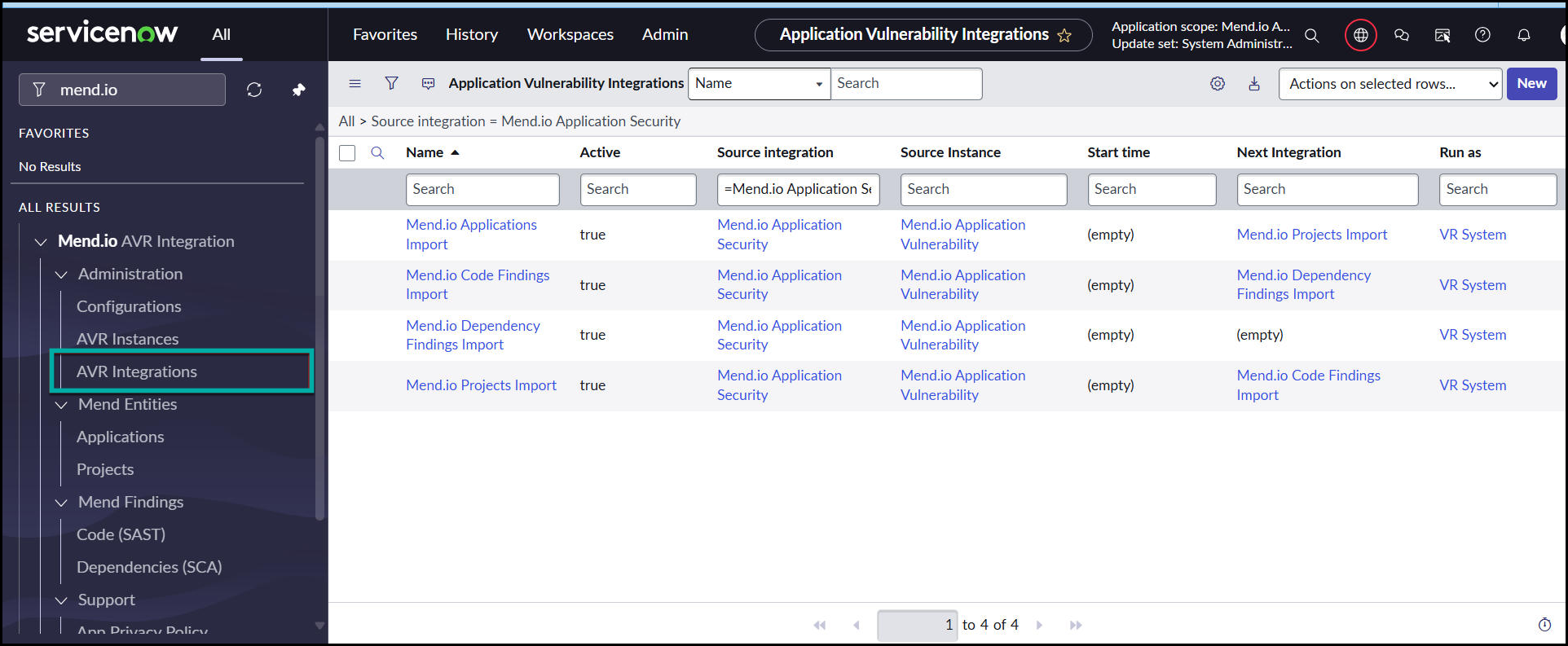
2. Add Active, Next Integration, and Source Instance to the list view – This ensures you work on the correct Source instance.
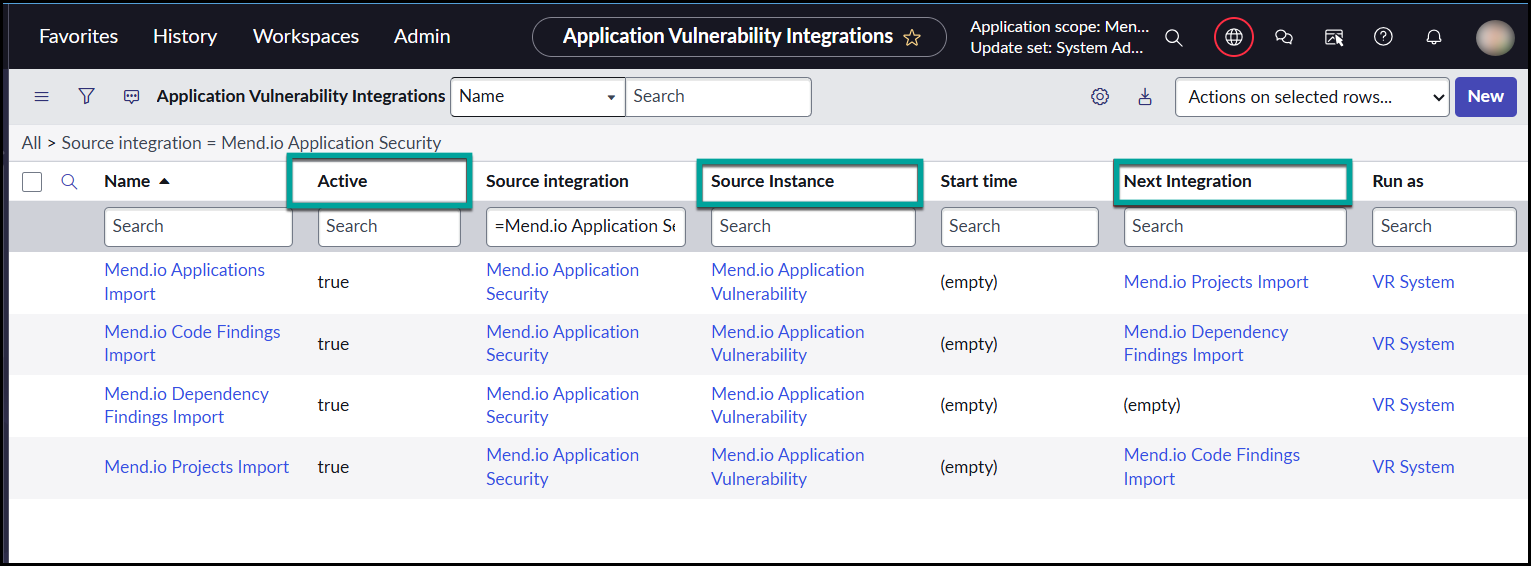
3. Locate “Mend.io Dependency Findings Import” under the same Source Instance as your Applications/Projects/Code Findings Import (SAST imports).
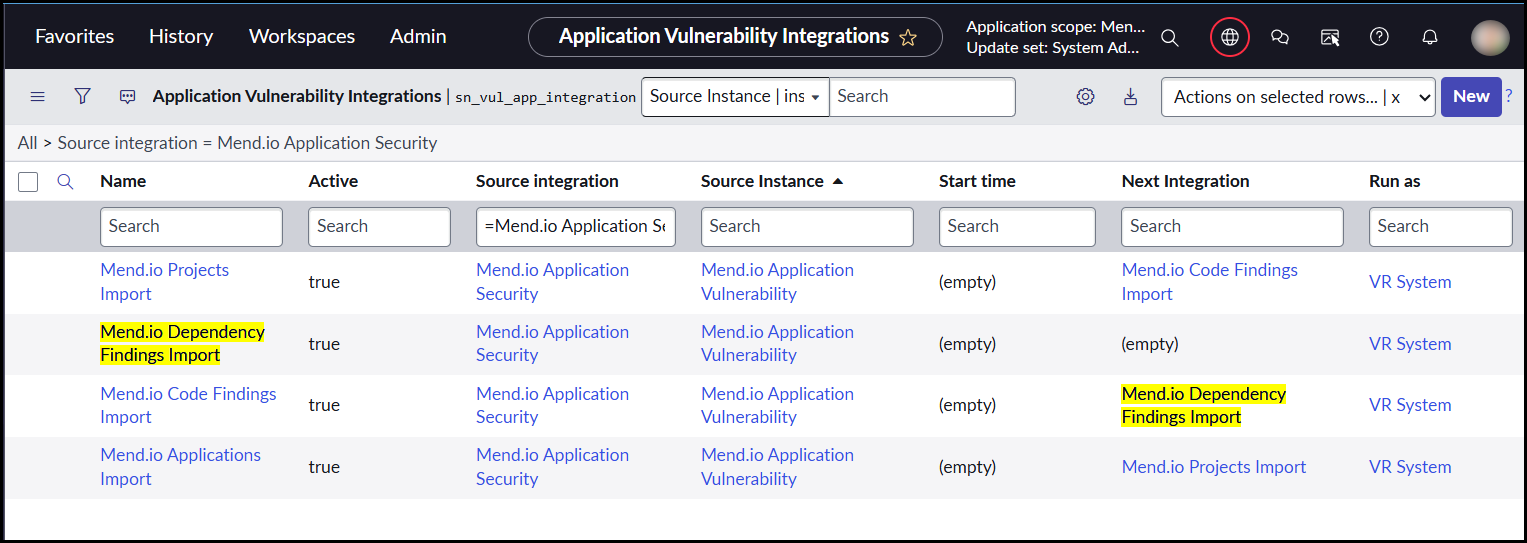
4. Set Active = false to deactivate SCA (Dependency Findings).
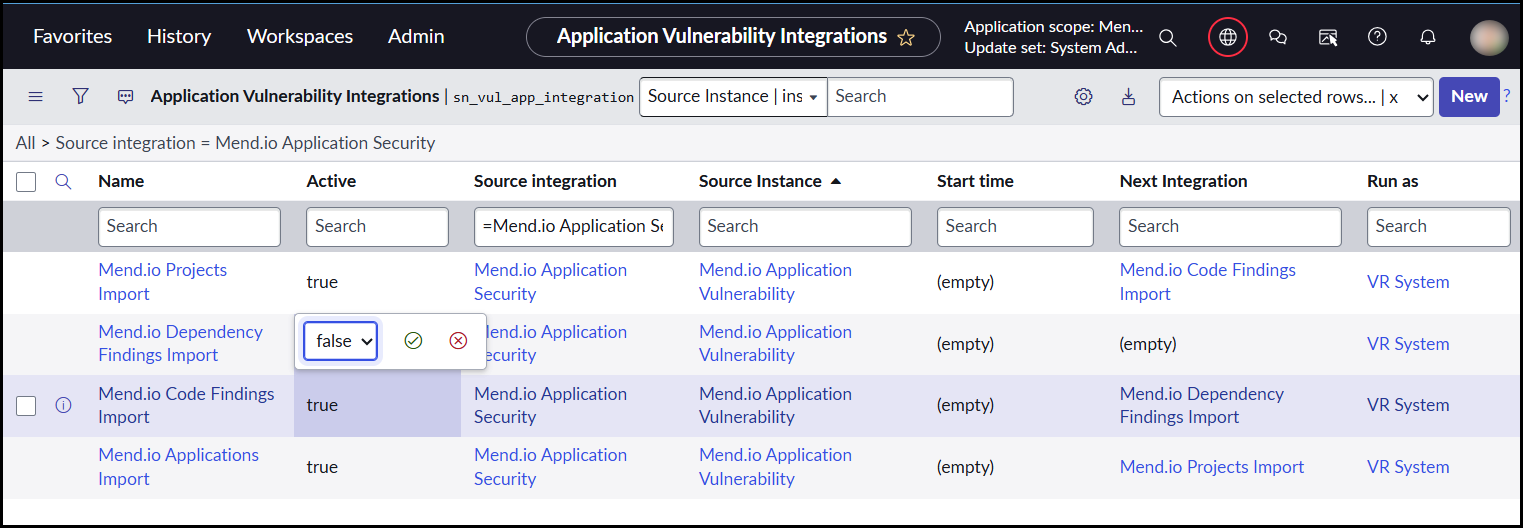
5. Identify the record that lists “Mend.io Dependency Findings Import” in its Next Integration field. (Typically “Mend.io Code Findings Import” under the same Source Instance)
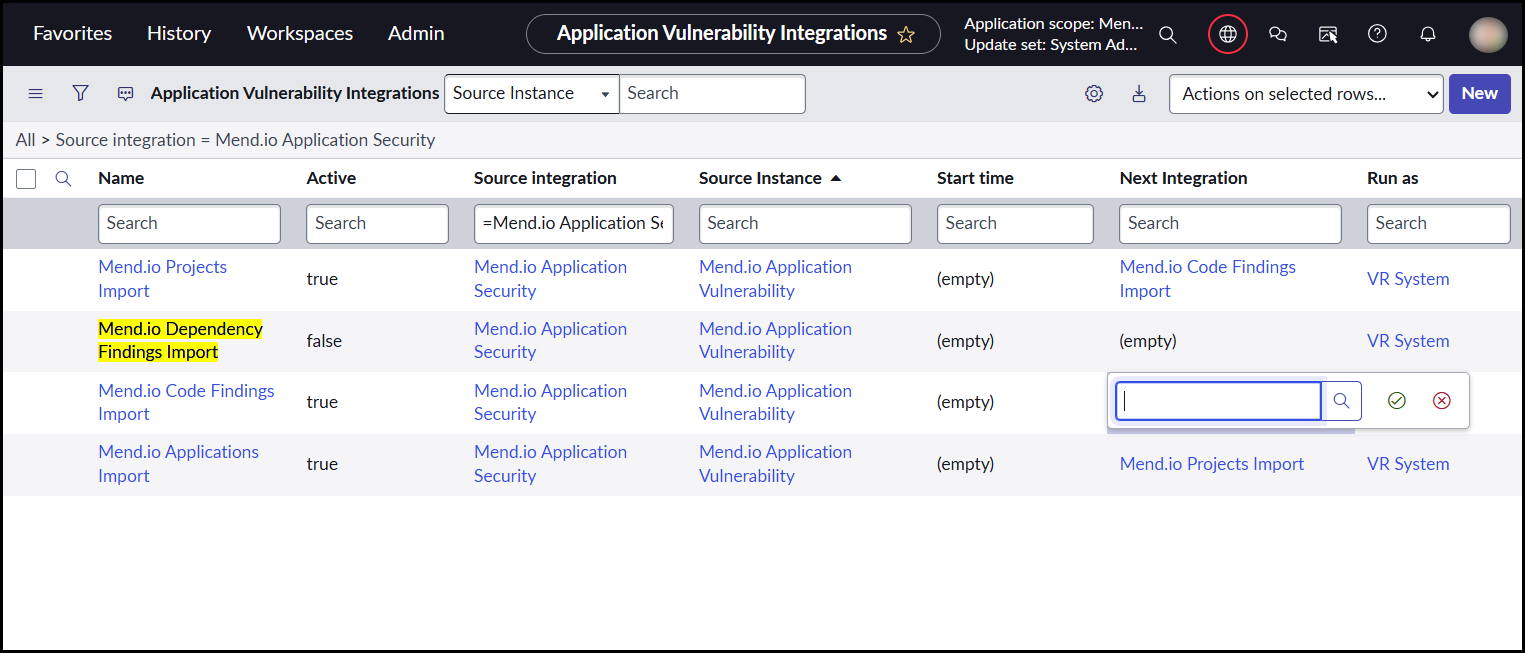
6. Open that record (e.g., Mend.io Code Findings Import) and remove “Mend.io Dependency Findings Import” from the Next Integration field. – This ensures the import flow does not attempt to run SCA.
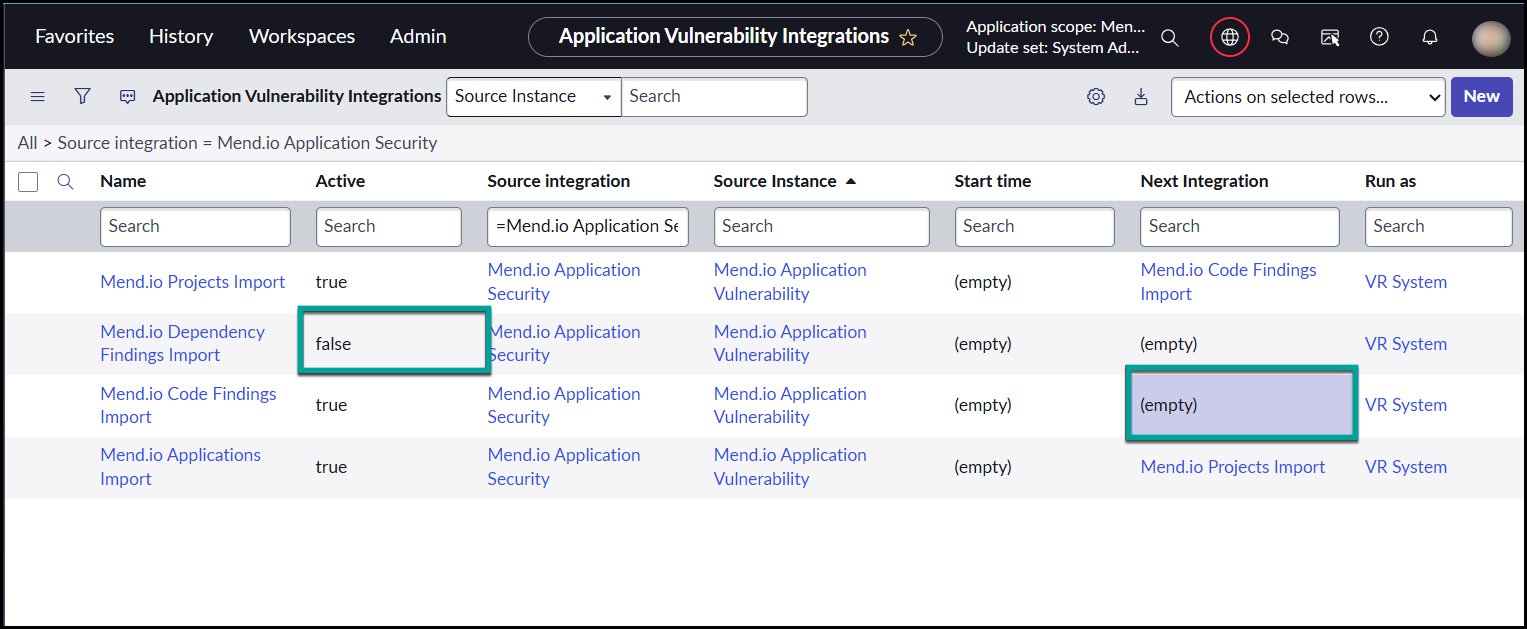
Now the integration will fetch only SAST.
Notes:
-
When multiple Mend.io Source Instances are configured, ServiceNow creates multiple SAST/SCA/Application/Project imports.
-
Always ensure you update the integrations under the same Source Instance.
-
Changing SAST in instance A and SCA in instance B will not work, as they belong to different integration chains.