.svg)
Overview
Hardened Images are security-focused, curated images designed to reduce vulnerabilities and minimize attack surface. Mend Container helps you make better decisions about vulnerabilities in supported hardened images by combining:
-
The vendor’s own statements (e.g., VEX: “Not Affected”)
-
Mend.io’s analysis (e.g., “Reachable”)
Prerequisites
Supported vendors include:
-
Docker
-
Chainguard
Detection of hardened images, including their VEX data, is automatic and does not require a designated integration.
Hardened Images in the Mend AppSec Platform UI
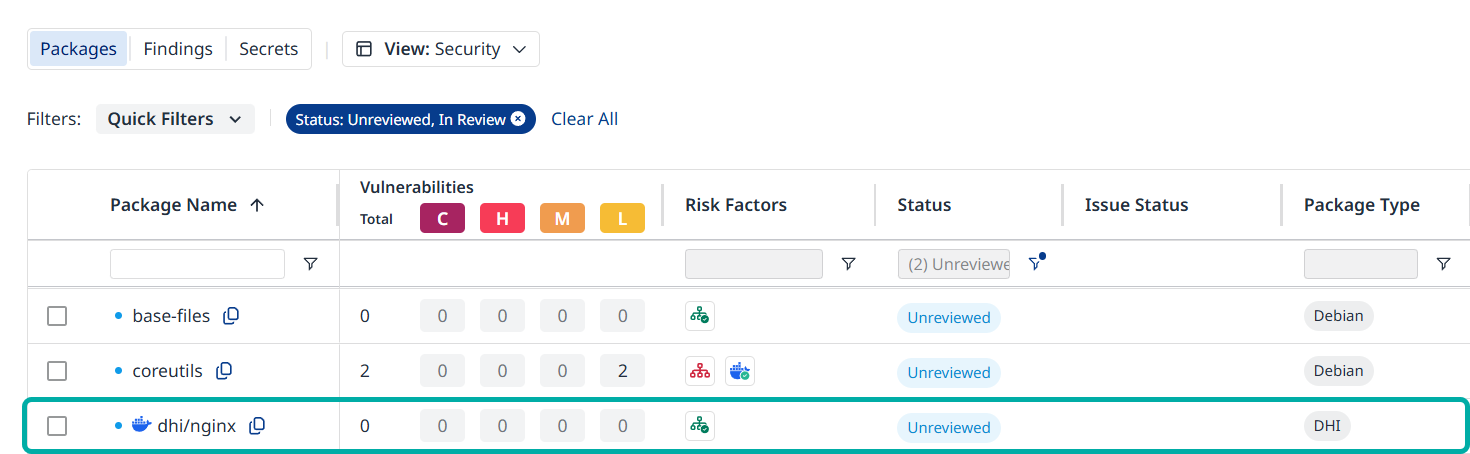
Go to Security → Containers → Packages to review the hardened image’s packages.
DHI
Look for the Docker badge next to a package in the Package Name column.
You can:
-
Filter packages by DHI using the Package Type filter.
-
Sort packages as usual; DHI behaves like any other package type.
Note: The Docker badge labels the package that serves as a synthetic representation of the hardened image. This is only applicable for Docker, not for other vendors.
Example:
-
When you scan the hardened image http://dhi.io/nginx:latest, you will see dhi/nginx in the package inventory, carrying a Docker badge.
-
The other packages in the inventory also originate from the http://dhi.io/nginx:latest hardened image and can therefore have DHI VEX risk factors.
VEX Risk Factors
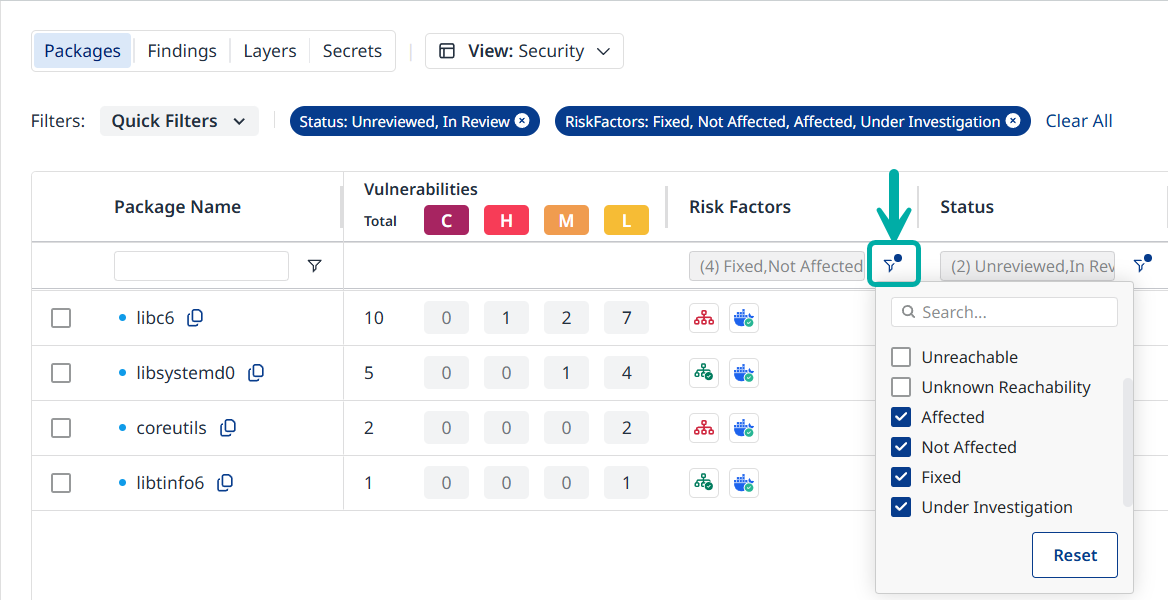
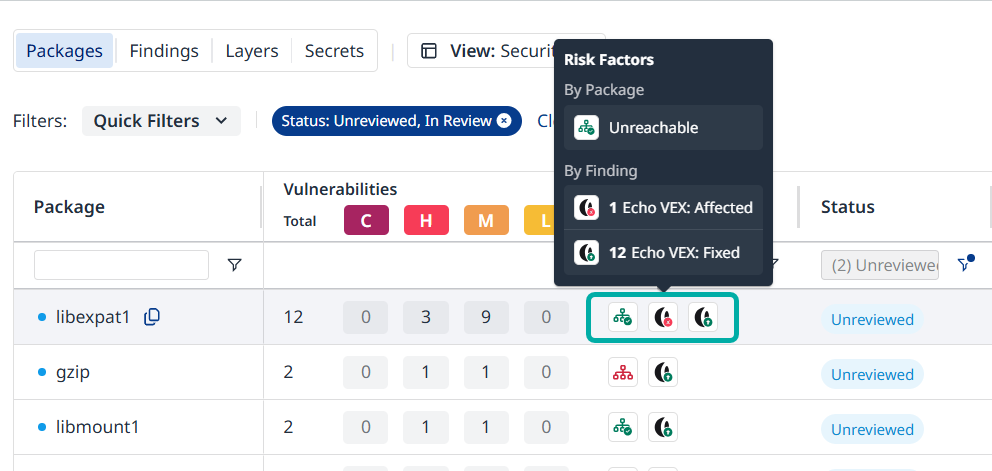
Mend Container retrieves VEX statements from the relevant vendor and attaches them to detected packages as risk factors.
There are four VEX statuses:
-
Affected
-
Not Affected
-
Fixed
-
Under Investigation
Managing Risk in Hardened Images
Risk information is available at the package or finding level. VEX information is available at the finding level.
-
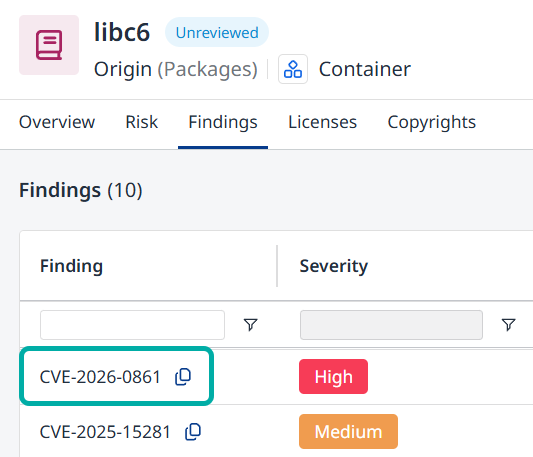
Open a finding associated with the package in question:
-
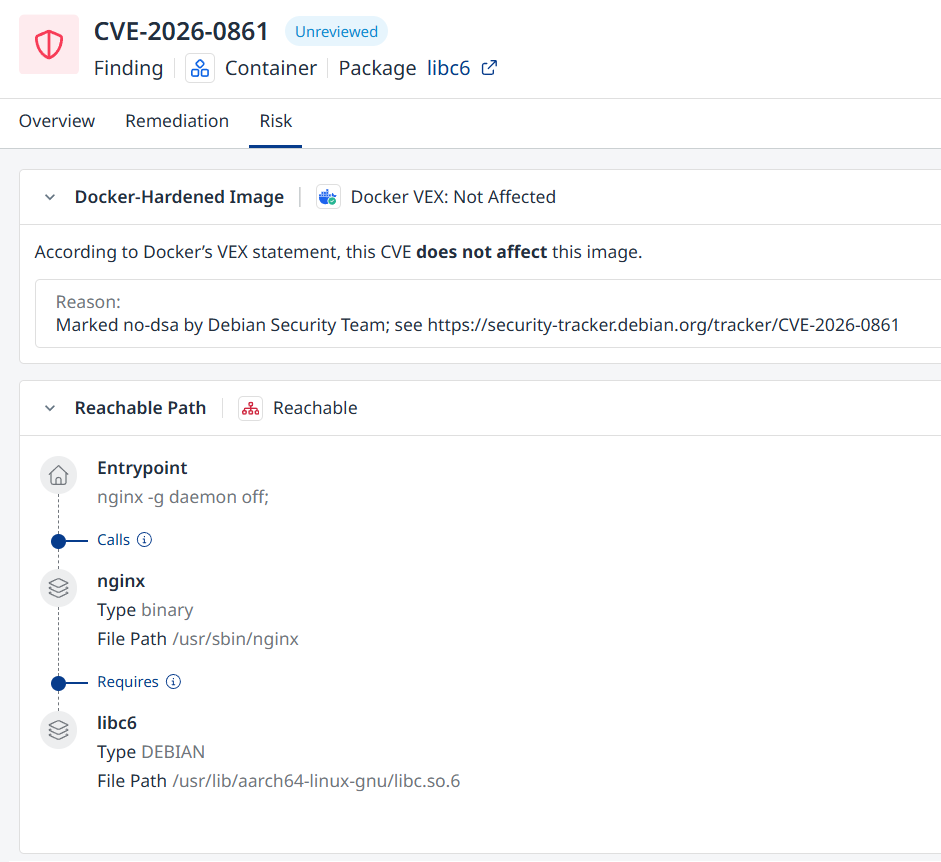
The finding’s Risk tab will contain the vendor’s VEX statement and reason (if applicable) as well as additional risk factors assigned by Mend.io, e.g., Reachable.
How to Resolve Conflicting Risk Factors
You may see different risk factors for the same CVE on a hardened image, for example:
-
Mend.io: Reachable
-
Docker VEX: Not Affected
This is expected:
-
Reachable → the vulnerable code is used / reachable in your environment.
-
Docker VEX: Not Affected → Docker says the hardened image is not vulnerable to that CVE.
Both are valid but answer different questions. There is no single “right” risk factor.
What you do with them is a policy decision for your organization.
Example Policy Patterns
Use these examples to define your own rule:
-
Vendor‑first (trust Docker more)
-
If Docker VEX: Not Affected = true, usually treat the finding as low priority, even if Mend.io shows Reachable.
-
-
Environment‑first (trust Mend more)
-
If Reachable, treat the finding as actionable, even if Docker VEX says Not Affected.
-
-
Balanced (common compromise)
-
High priority: Reachable AND Docker “Affected”
-
Medium: Reachable AND Docker “Not Affected” (review justification)
-
Low: Unreachable AND Docker “Not Affected”
-
Mend Container’s job is to surface both the hardened‑image status (DHI + Docker VEX) and your actual usage (Reachable).
Your job is to decide how your internal policy weighs these signals.