.svg)
Overview
A GitHub.com token is not mandatory for the Developer Platform to function, however it is required if you wish to benefit from the following:
-
Obtaining release notes from GitHub.
-
Receiving updates for Golang dependencies.
Note: As long as a GitHub.com token is not provided, a warning message about a missing GitHub token will be displayed in the platform, although in that case you have the option to suppress it, as explained here.
Getting it done
Create a GitHub.com Token and Use it in the Developer Platform
A GitHub.com token is recommended for running scans. Without it, Golang dependencies and release notes from GitHub cannot be retrieved (which will result in a warning message in the Developer Platform).
The token can be generated from any GitHub.com account and doesn’t require any permissions:
-
Log into GitHub.com or create a new account.
-
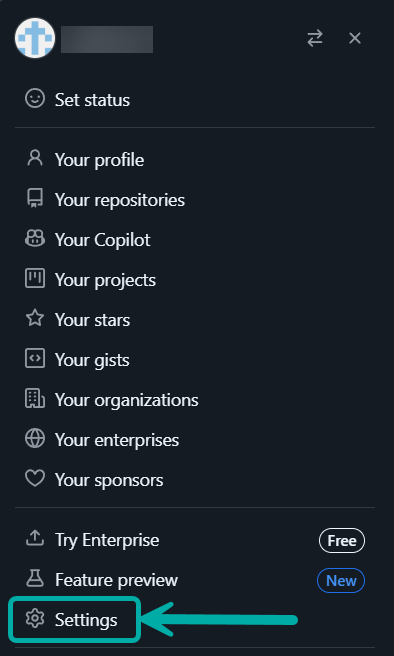
In GitHub, click on your profile at the top-right corner of the page and select Settings.
-
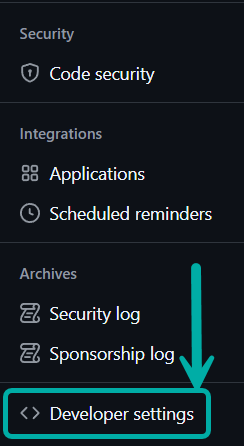
Select Developer settings from the left-pane menu.
-
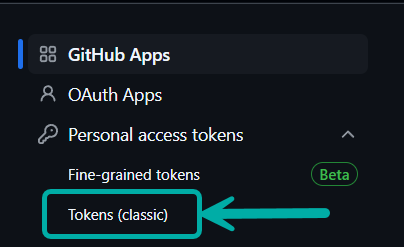
Under Personal access tokens, select Tokens (classic).
-
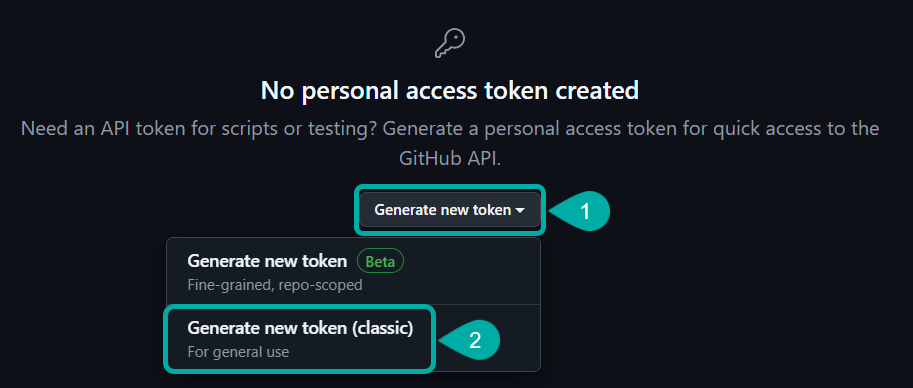
Click Generate new token --> Generate new token (classic).
-
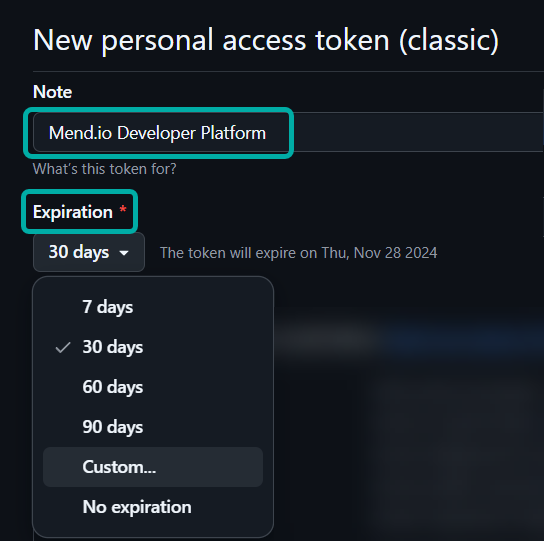
Add a descriptive name for your token under Note (e.g., “Mend.io Developer Platform”) and set the desired Expiration date (you can set a custom date). It is recommended to set a reminder in the calendar to renew the token before it expires.
-
Don’t add any scopes, instead scroll to the bottom and click Generate Token (

-
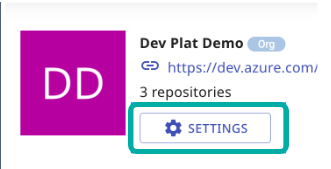
Now on the Mend Developer Platform, click on the Project (Azure/Bitbucket) and then on Settings.
-
Click on Credentials and then on Add Secret. Give it a name and paste the token from GitHub.com as the Secret Value.

-
On the same screen, add a host rule as follows:
-
Description - Any description
-
Host type - github
-
Secret Type - token
-
Select Secret - the secret from the previous step
-
Suppress the “Missing GitHub Token” Warning
To permanently suppress the warnings about the GitHub token not being set, please configure the githubTokenWarn parameter as explained in the Renovate documentation.