.svg)
Overview
Your development team can directly suppress code findings identified by Mend Code Security Checks as false positives right within your Bitbucket Cloud repository. This eliminates the need to switch contexts to the Mend AppSec Platform, enabling developers to work uninterrupted within their familiar workflow. Suppressing false-positive findings directly from your repository ensures that your Pull Requests (PRs) do not get blocked unnecessarily.
Note: For more about suppressing findings within the Mend AppSec Platform, please refer to our Triage your Code Security Findings documentation.
Getting it done
Enabling the Suppression feature in your Repository
To enable and manage suppression directly from your Bitbucket repository, navigate to the Org/Workspace settings in the Mend Developer Platform:
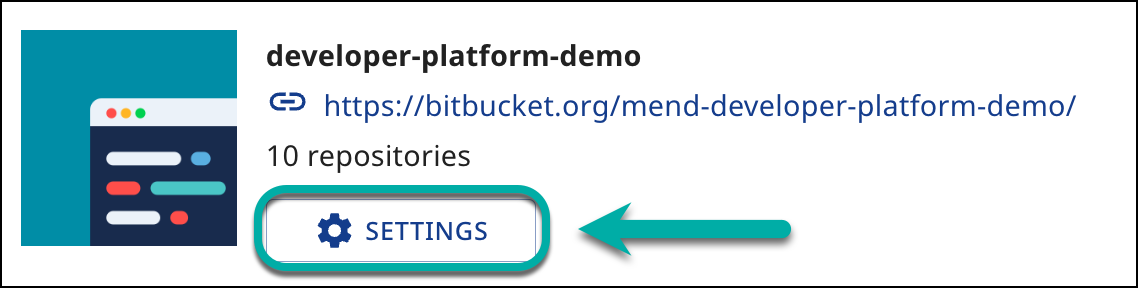
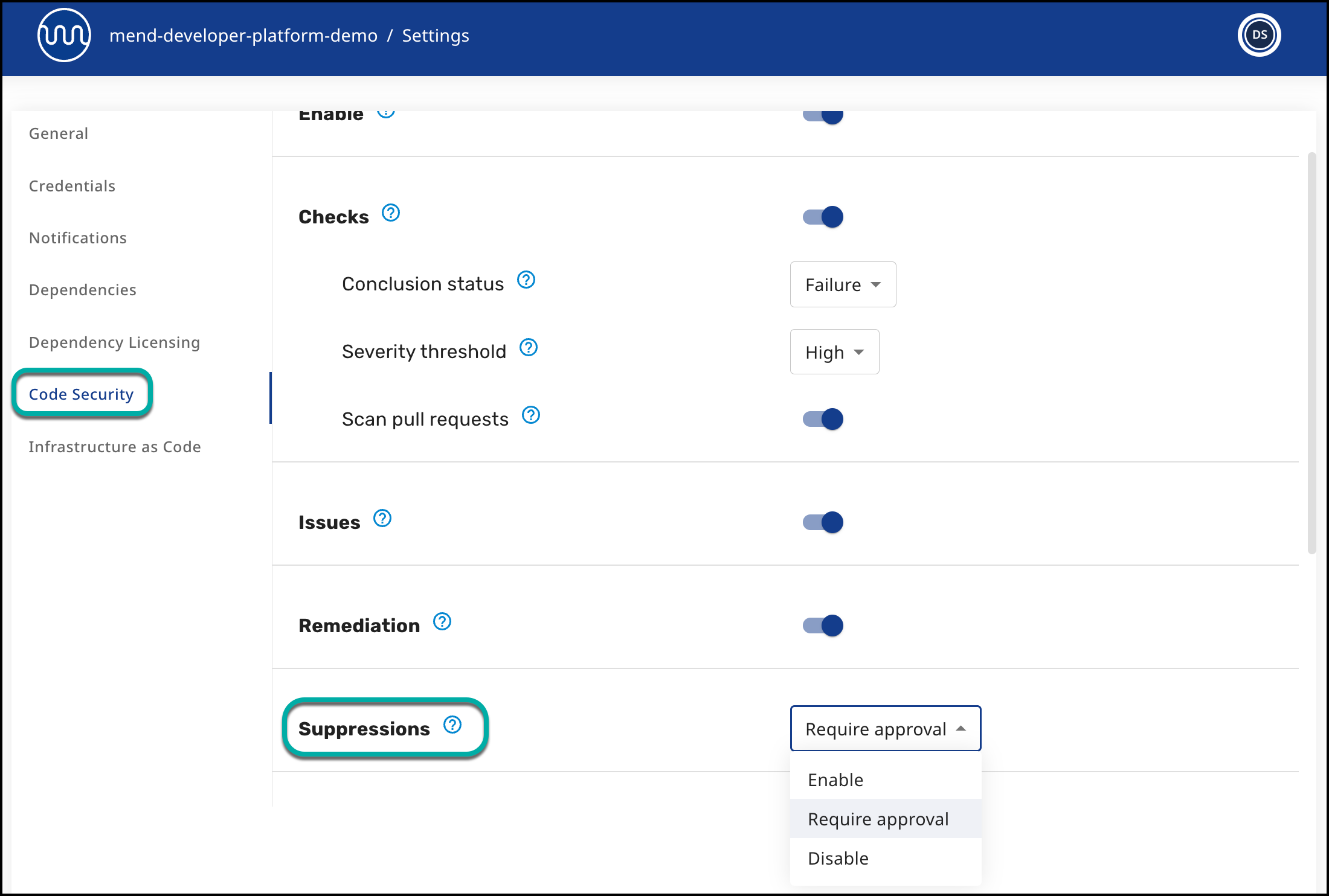
Next, within the “Code Security” tab, you’ll find the Suppressions parameter, with the following available options:
-
Disable (default) - Suppressions are not available through the repository scans.
-
Enable - Suppressions are available through the repository and are applied immediately once selected.
-
Require Approval - If this option is selected, a Developer can mark Security Findings for Suppressions and wait for a Reviewer to Approve / Reject the action (to learn more about this option, navigate to our Suppression Requests for SAST in SCMs documentation).
Scope: The main use case for suppressions from the repo is on Pull Requests because this is where a false positive could really be a blocker for a developer.
Suppress Findings From a Check Run
When a Mend Code Security Check run identifies a code security issue, Mend automatically creates inline comments on the PR, highlighting the specific finding directly in the new code at the identified line:
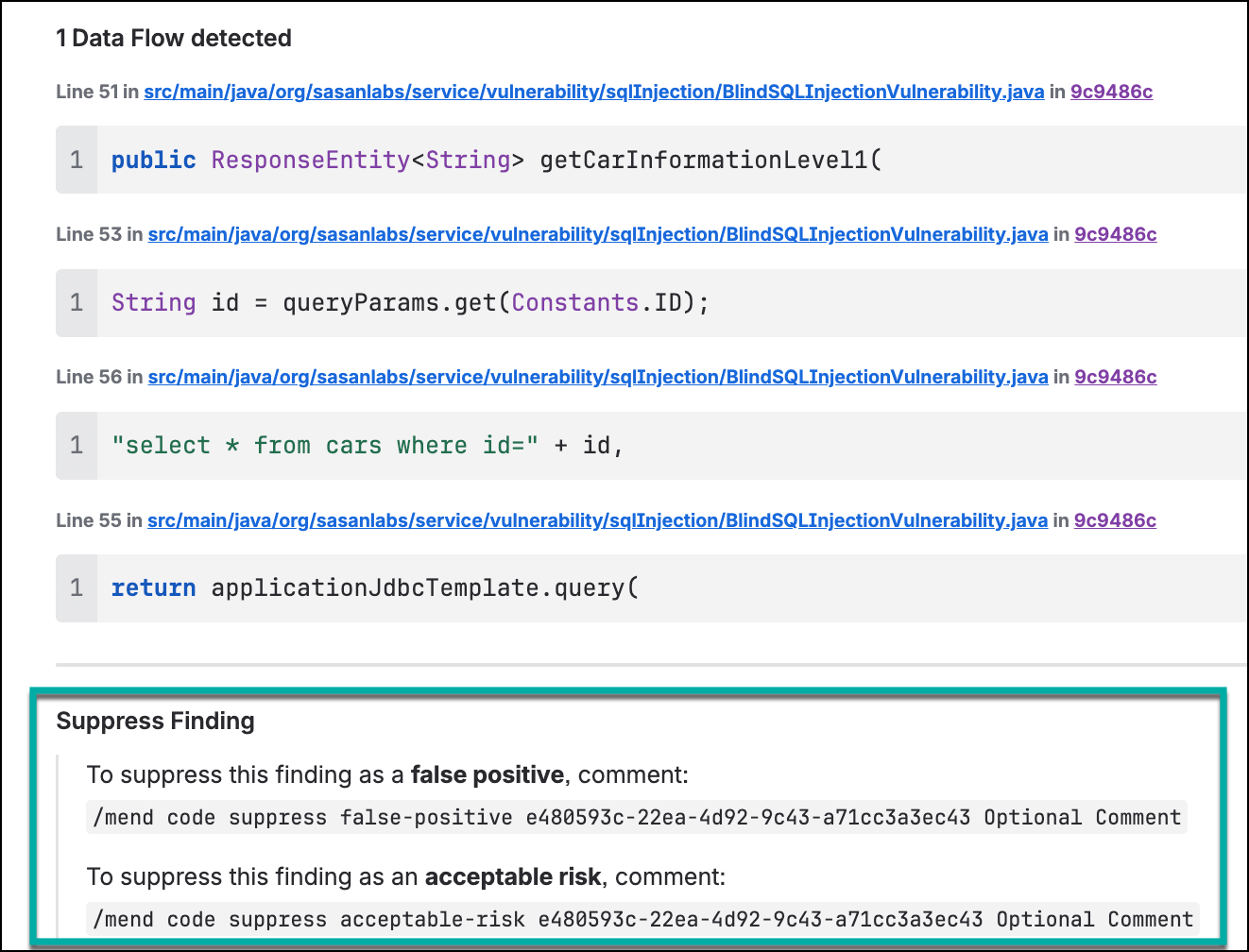
To suppress a finding, you should add a comment with potential reasons for the suppression:
-
To suppress as a false positive, comment on the work item issue with the provided syntax. You can also add an additional comment that will be saved as a “User comment” on the feedback comment.
In this example:/mend code suppress false-positive e480593c-22ea-4d92-9c43-a71cc3a3ec43 Optional Comment -
To suppress as an acceptable risk, comment on the work item issue with the provided syntax. You can also add an additional comment that will be saved as a “User comment” on the feedback comment.
In this example:/mend code suppress acceptable-risk e480593c-22ea-4d92-9c43-a71cc3a3ec43 Optional Comment
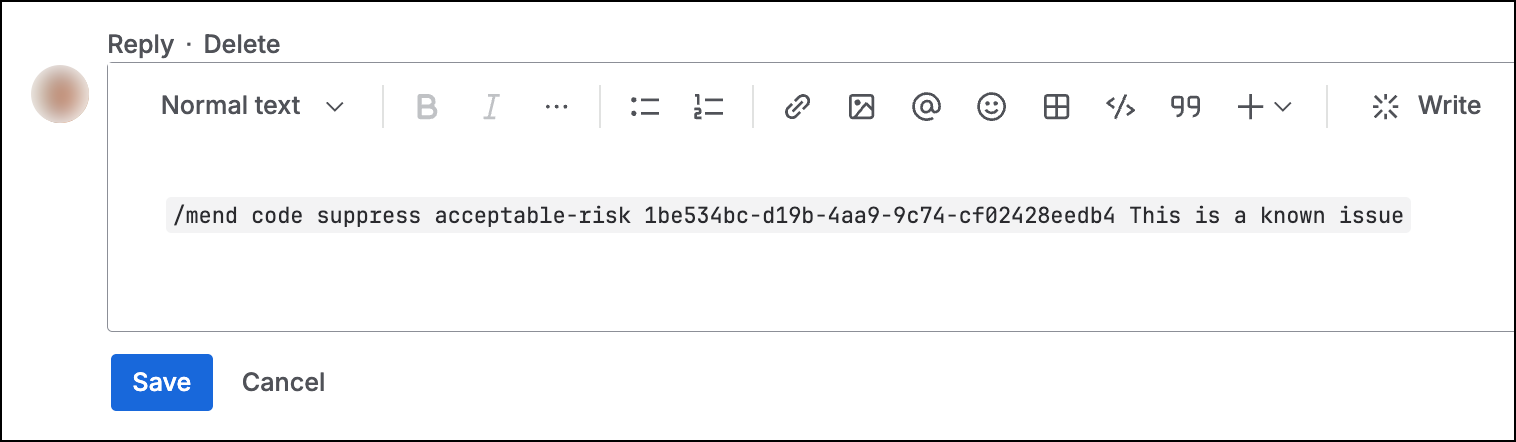
Once commented with the appropriate reason, and based on the Suppressions parameter settings, the finding will either immediately be suppressed in the Mend AppSec Platform or requested for approval in the Mend AppSec Platform.
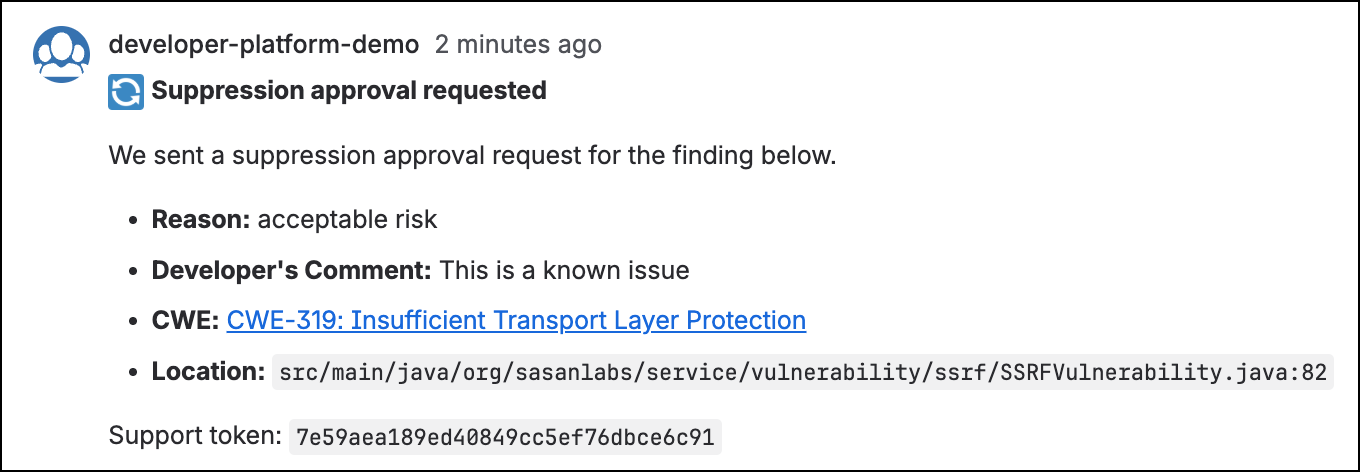
Once the suppression request has been approved, an indication that the finding has been suppressed will be visible right next to the specific finding:
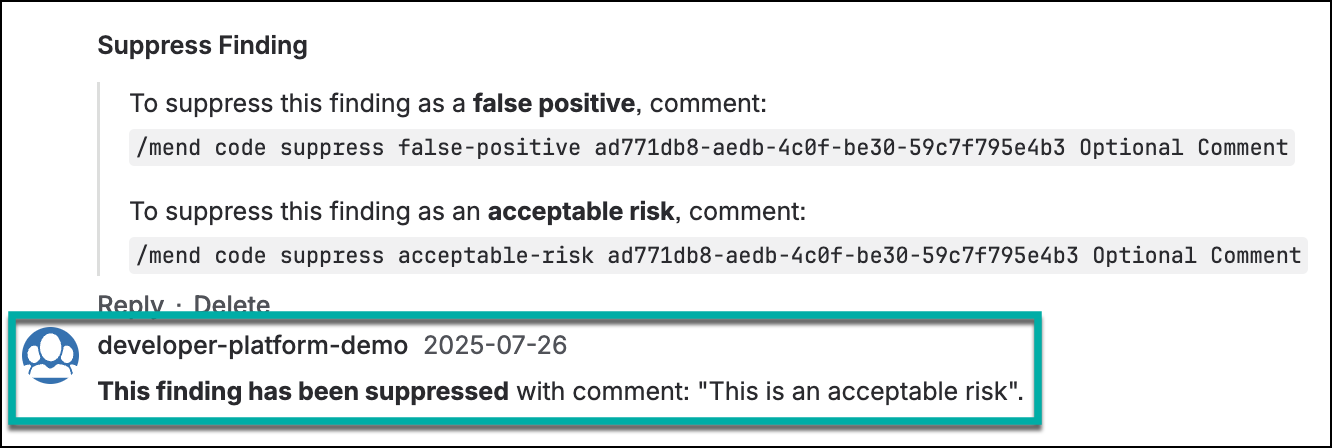
Suppression Visibility after Merging a PR
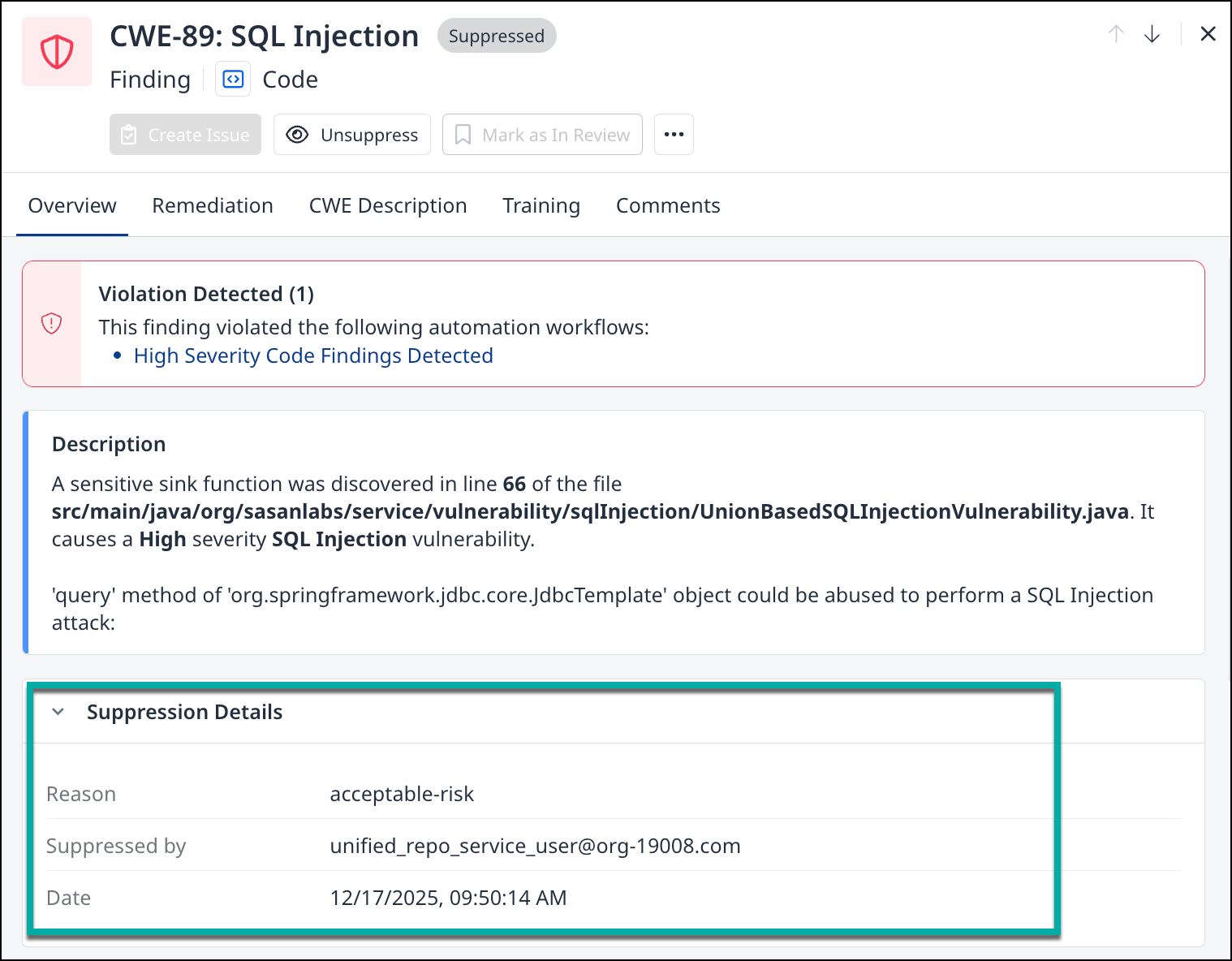
After merging the PR and scanning the base branch, all suppressed findings become visible in the Mend AppSec Platform with a suppressed status. The suppression details—including the reason and the Bitbucket username of the developer who performed the suppression—are clearly displayed for audit and tracking purposes: