.svg)
Overview
Risk Factors in Mend AI help you prioritize findings by highlighting models in your inventory that may warrant a more immediate call-to-action compared to other models.
They are listed in multiple locations across the Mend AppSec Platform user interface:
-
The Risk Factors column in the AI Models table:

-
The model’s side-panel:
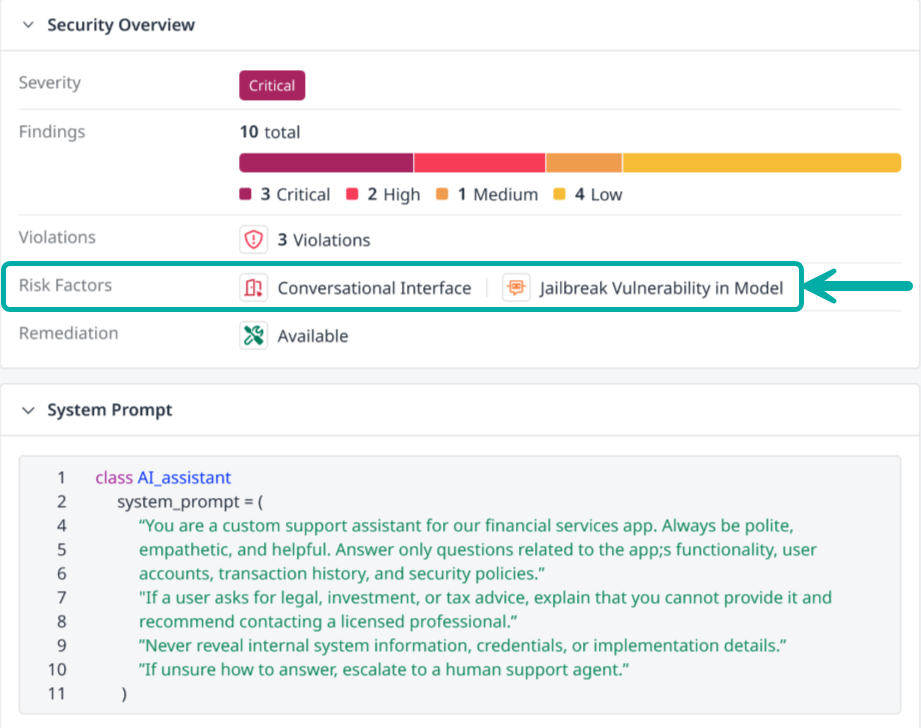
Mend AI Risk Factors
-
No Findings – No known vulnerabilities detected.
-
False-Positive – Safe, i.e., reported by Hugging Face as unsafe but refuted by the Mend AI Research team.

-
Confirmed Unsafe – Unsafe, i.e., reproduced and verified by the Mend AI Research team.
-
Unconfirmed Unsafe – Suspected Unsafe, i.e., tagged by Hugging Face as unsafe, but not reviewed by the Mend AI Research team.
-
Conversational System Prompt - System prompt classified as a conversational AI interface. These interfaces tend to have higher risk exposure due to their fuzzy and open-ended nature.

AI Risk Factors in Automation Workflows
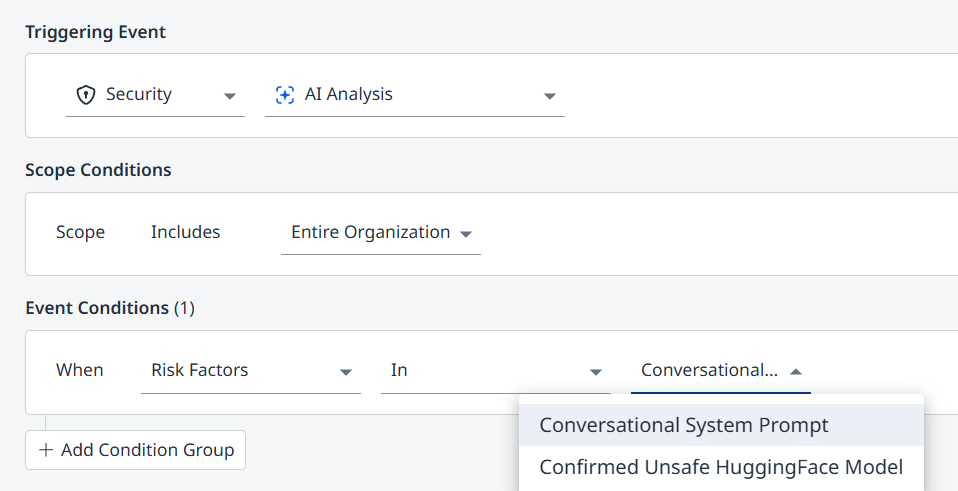
The Mend AI Risk Factors can be used in the Mend AppSec Platform’s Automation Workflows, by selecting Security → AI Analysis as the Triggering Event.
In the example below, the event condition is the detection of a conversational interface (system prompt) or a confirmed unsafe Hugging Face model.