.svg)
This article is intended to ease usage of Mend for http://GitHub.com and it’s composed of the following sections:
Section I: Common issues
The following section lists common GitHub issues as well as solutions and troubleshooting tips for every scenario:
-
Mend Security Check is failing due to missing access permissions to private dependencies
-
Some project dependencies are located in a private registry, which the integration doesn’t have access to. To address that, the necessary configuration has to be set up. Please check this section here on how to do it: Mend for Github.com
-
-
No Pull Requests are created by Remediate
-
Workflow rules have not been configured. There are two ways you can configure them:
-
- either navigate to Integrate > Mend for GitHub.com > Manage Workflow Rules.
OR
- configured the workflow rules through the .whitesource file Remediate Settings
-
Automatic Remediation is not available for different reasons.
-
No scan is initiated after my last commit
-
Not all commits are considered a valid push: a valid push is considered to be any modification to a supported manifest file or upload/removal of a supported source file. See more details in the ‘Initiating a scan’ section here.
-
Also, please note that a commit on a modified/edited source file does not count as a valid push (as it is no longer considered open-source)
-
-
“MULTIPLE_GH_ACCOUNT” error
-
The Github.com account is already associated with one Mend organization. In this case, you should either:
-
Log into the GitHub account and remove the installed Mend GitHub app
OR -
Add a new application in a new GitHub organization linked to a new Mend organization
-
-
-
No scan is initiated right after the repository is onboarded
-
Make sure that the repository is present in the list where Mend for GitHub.com application is installed
-
Verify if the initial Pull Request was created (as shown below) and that you have successfully merged it into the default branch
-
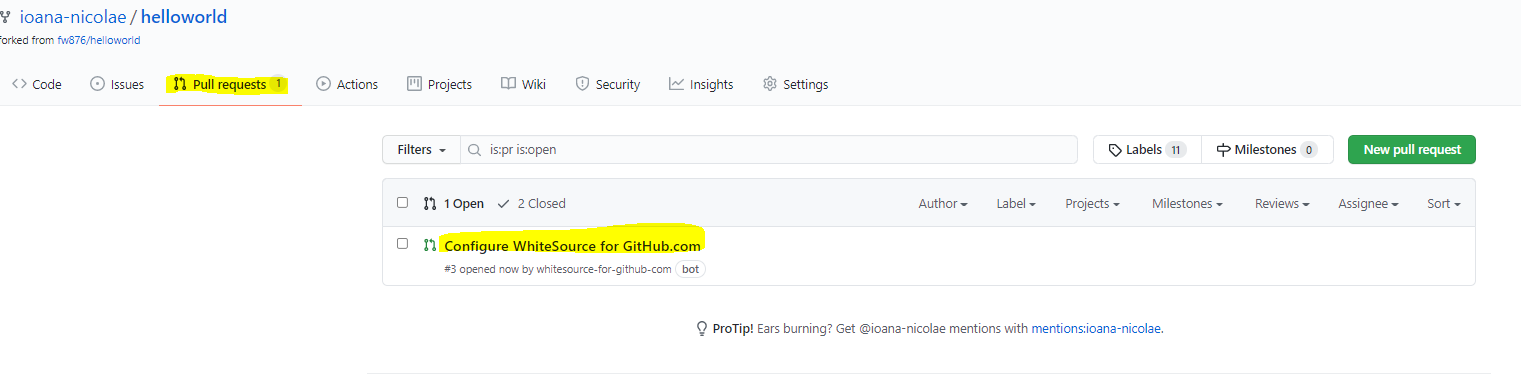
Verify if the .whitesource file is present in the correct (default) branch of the repository ( this might not apply to the integration that uses a Global Configuration with no local .whitesource files)
Section II: Configuration cases
Use cases when configuring the projectToken and the baseBranches parameters
-
projectToken configured: a Mend project will be associated with the repository that has this parameter configured ( Mend project per repository ) ex: GH_Repo1, GH_Repo2
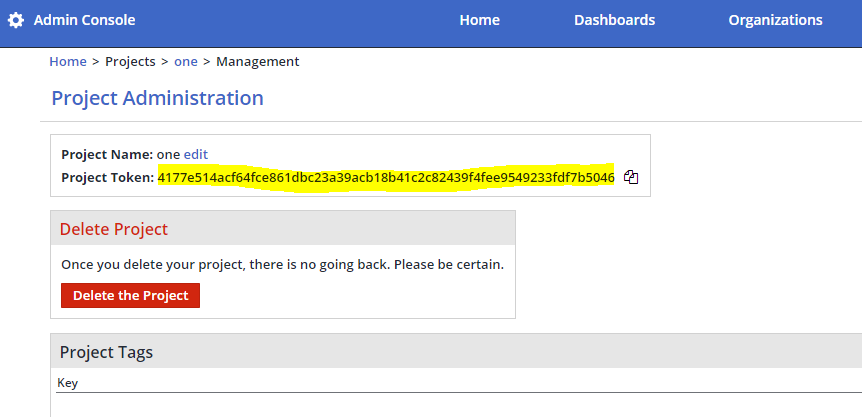
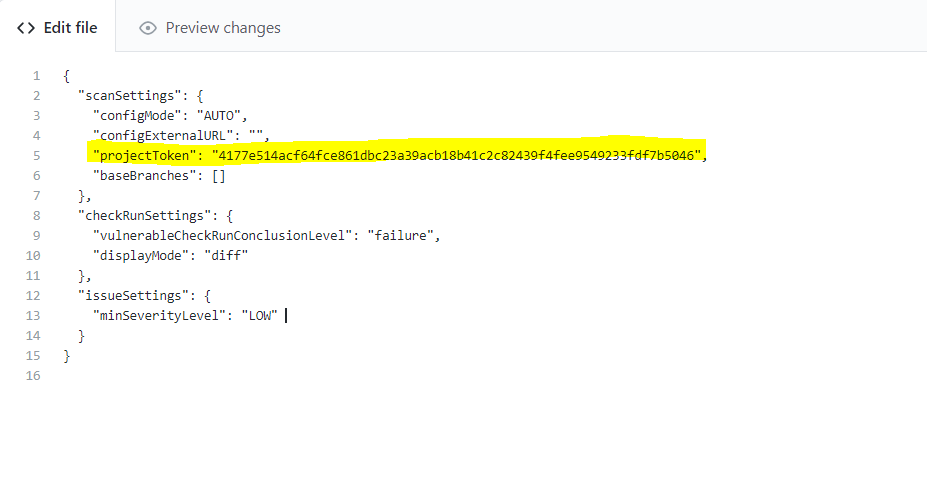
-
baseBranches configured: a Mend project will be created for each branch specified inside the parameter ( Mend project per branch ) ex: GH_Repo_main, GH_Repo_branch1, GH_Repo_branch2
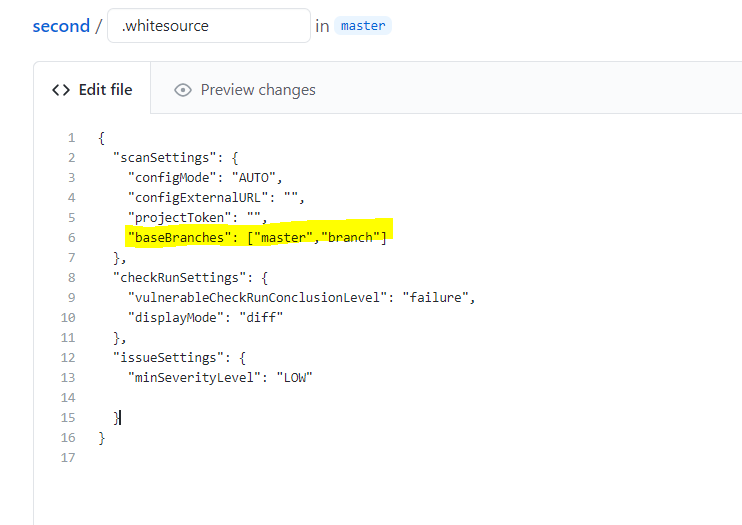
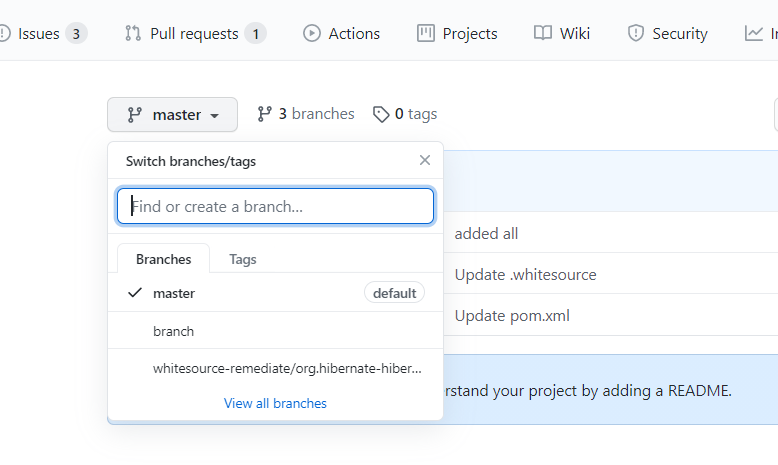
Note: the projectToken parameter is only being applied to the default branch
-
If both projectToken and baseBranches are configured, we have the following situations:
-
If the default branch is mentioned in the baseBranches: the base branch will be present in Mend inside the project provided through the projectToken. For the rest of the branches, different WS projects will be created.
-
If the default branch is not part of the baseBranches property, the projectToken will be completely ignored. Projects will be created only for the branches present in the baseBranches parameter.
-
Section III: Known limitations
-
Currently, Mend for Github.com only supports a 1 to 1 relationship with Mend organizations, so for each GH organization present a different WS organization has to be associated
-
The ability to map a non-default branch to a specific Mend project through the projectToken parameter is not currently supported