.svg)
Overview
Once your Mend CLI IaC scan is completed, there are multiple resources provided to help you review, analyze, and triage your results.
Console results
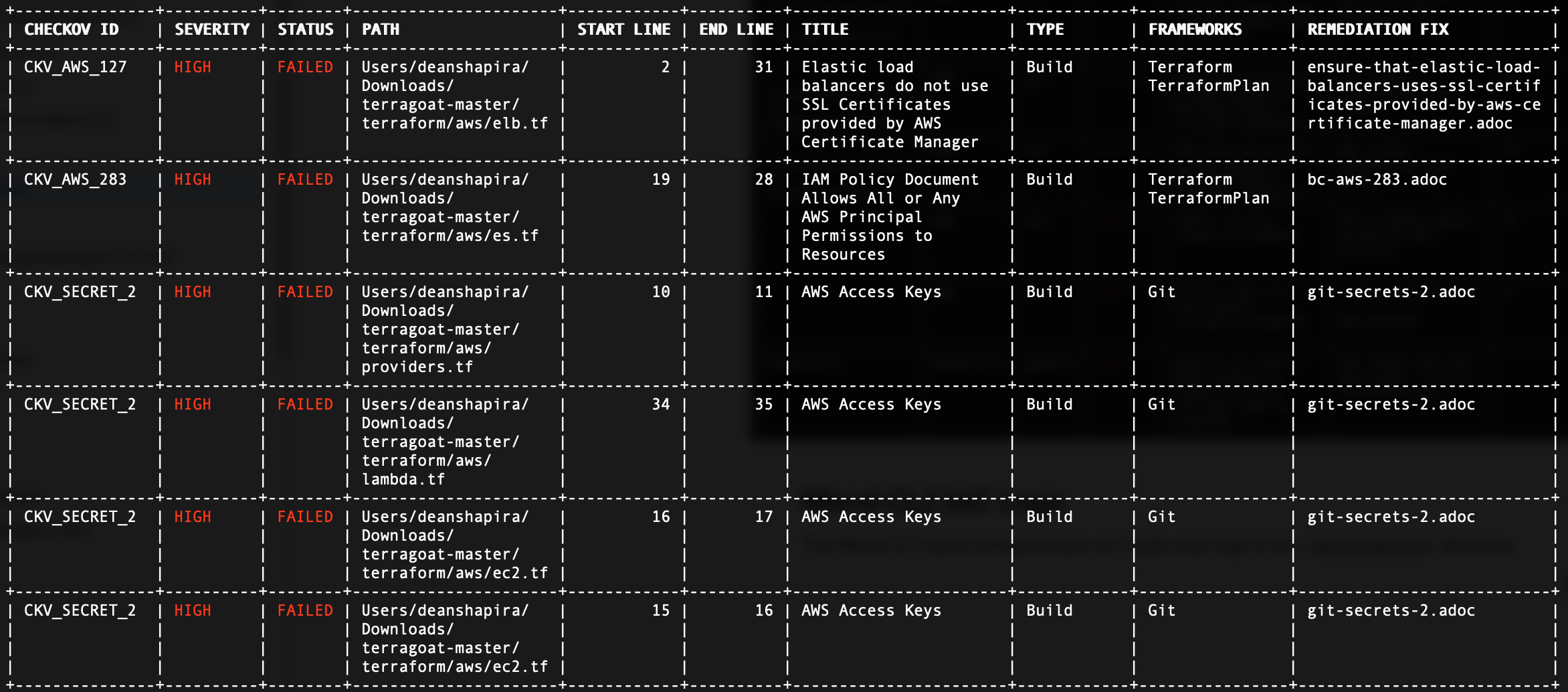
The Mend CLI IaC scan outputs a summary of the detected misconfiguration files:

Misconfiguration Files
The misconfigurations are displayed in a visual table, providing the vitals you need to triage these findings:
|
Field |
Description |
|---|---|
|
|
The unique identifier of the Checkov (CKV) policy check that produced the finding — for example, |
|
|
The severity of the vulnerability. The available values are:
|
|
|
The result of the policy check for the scanned resource. FAILED indicates the resource does not comply with the check — i.e., a misconfiguration was detected. |
|
|
The location of the IaC file that contains the misconfiguration, shown as the file path within the scanned repository or project. This corresponds to the Path to Misconfiguration shown at the top of the finding details. |
|
|
The first line number of the misconfigured resource or code block within the file. |
|
|
The last line number of the misconfigured resource or code block within the file. Together with Start Line, this defines the exact line range of the finding. |
|
|
A summary of what the check verifies — the misconfiguration the finding represents (for example, "IAM Policy Document Allows All or Any AWS Principal Permissions to Resources") |
|
|
The category of the Checkov check / scan stage that produced the finding (for example, Build for build-time IaC scanning). |
|
|
The IaC framework(s) the check applies to and against which the file was evaluated — for example, Terraform, TerraformPlan, CloudFormation, Kubernetes, Helm, or Git (for secret detection). Frameworks is one of the fields shown in a finding's information. |
|
|
Mend's recommended fix to remediate the detected misconfiguration. |
Mend CLI IaC results - Mend Application
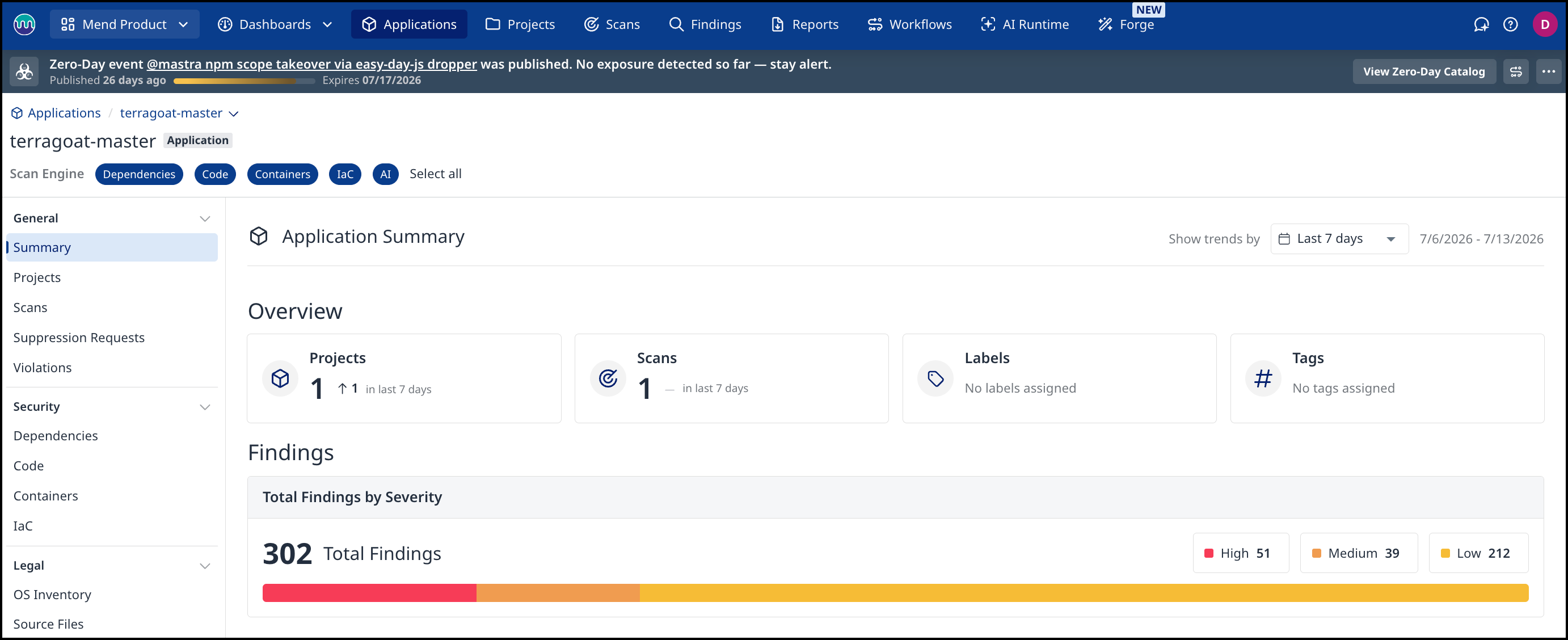
Within the Mend Application, you can review each Mend CLI scan’s summary, details, and more. For more information on how to navigate the Mend Platform, visit our Analyze your results in the Mend Application documentation:
Mend CLI IaC Logs
The Mend CLI stores Infrastructure-as-Code scan logs in the .mend/logs/cn directory.
The Support token at the end of the scan can be provided to Mend Support for investigation purposes.