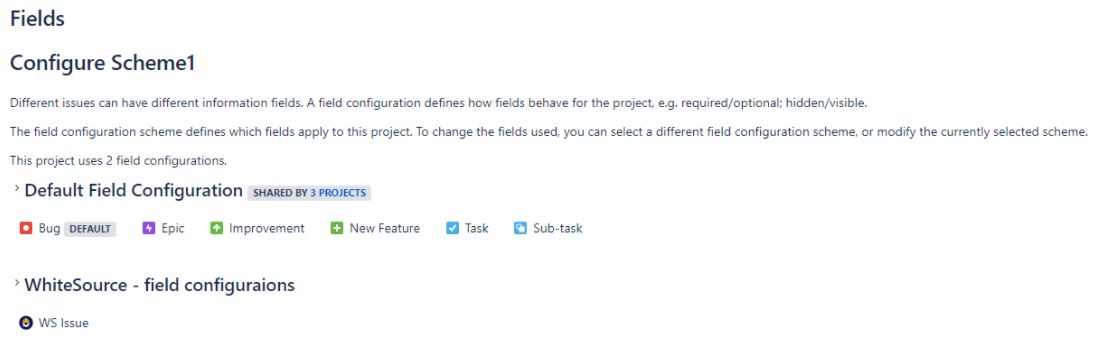
.svg)
The following steps describe how to exclude mandatory files in a Jira Cloud configuration from being populated, so that the Mend integration will be able to open tickets.
For more details, see https://docs.mend.io/legacy-sca/latest/issue-tracker-integrations#IssueTrackerIntegrations-Limitations .
Step 1
-
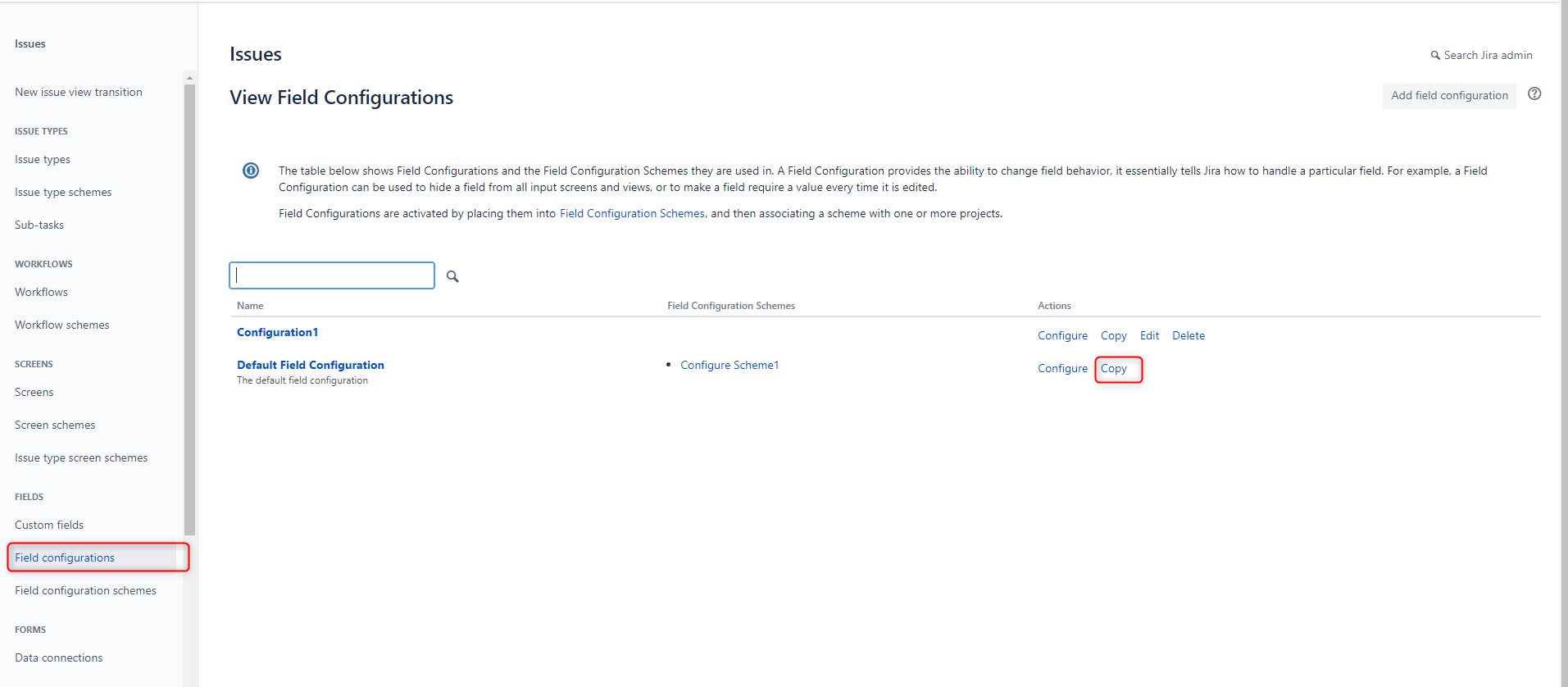
Go to Jira Setting > Issues > Field configurations.
-
Look for the field configurations with the required field, and click Copy.
-
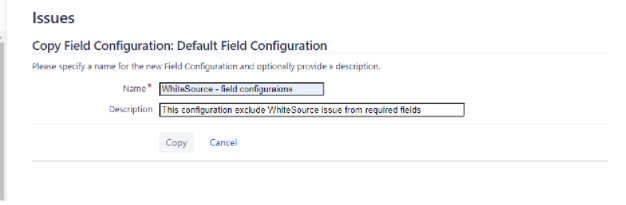
Rename the copied field configuration Mend - field configurations, provide a description (optionally), and click Copy.
Step 2
-
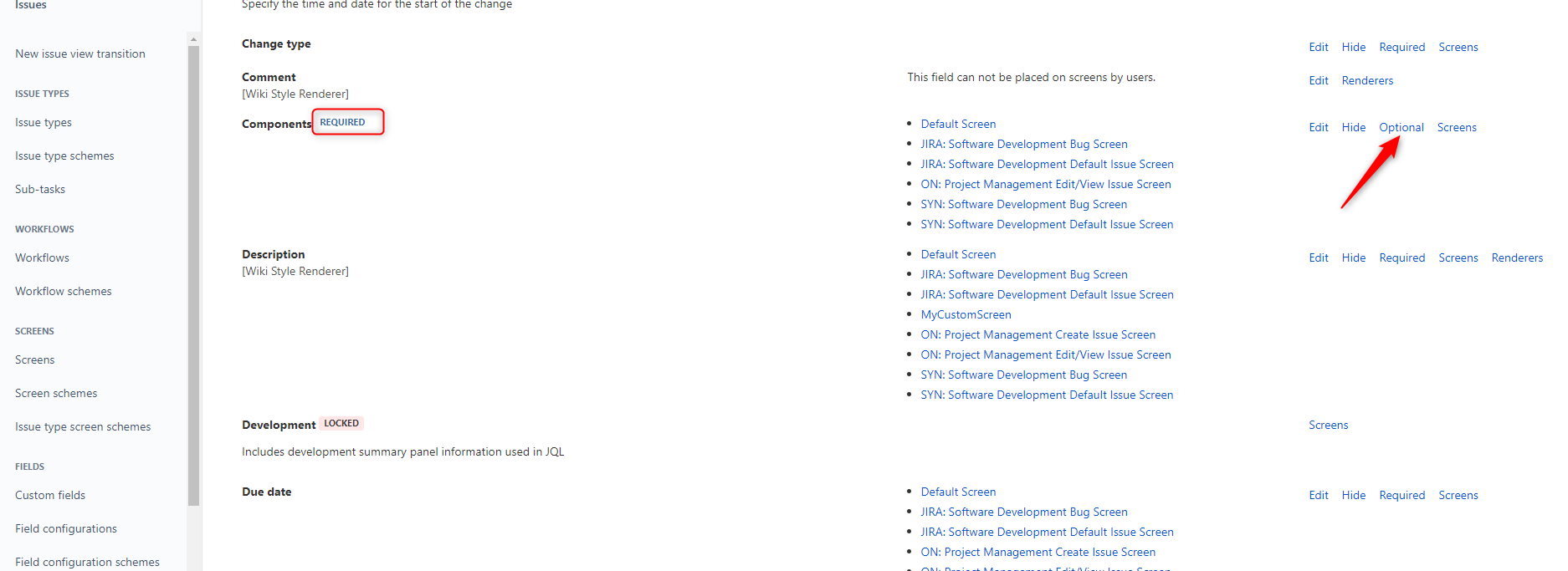
Alongside the new field configuration click the Configure action.

-
Look for the field/fields marked as Required and set them as Optional.
Step 3
-
Under Issues, click Field configuration schemes.
In the Field Configuration Schemes table, you can either use an existing scheme or add a new one. -
Click the Configure action alongside the scheme.
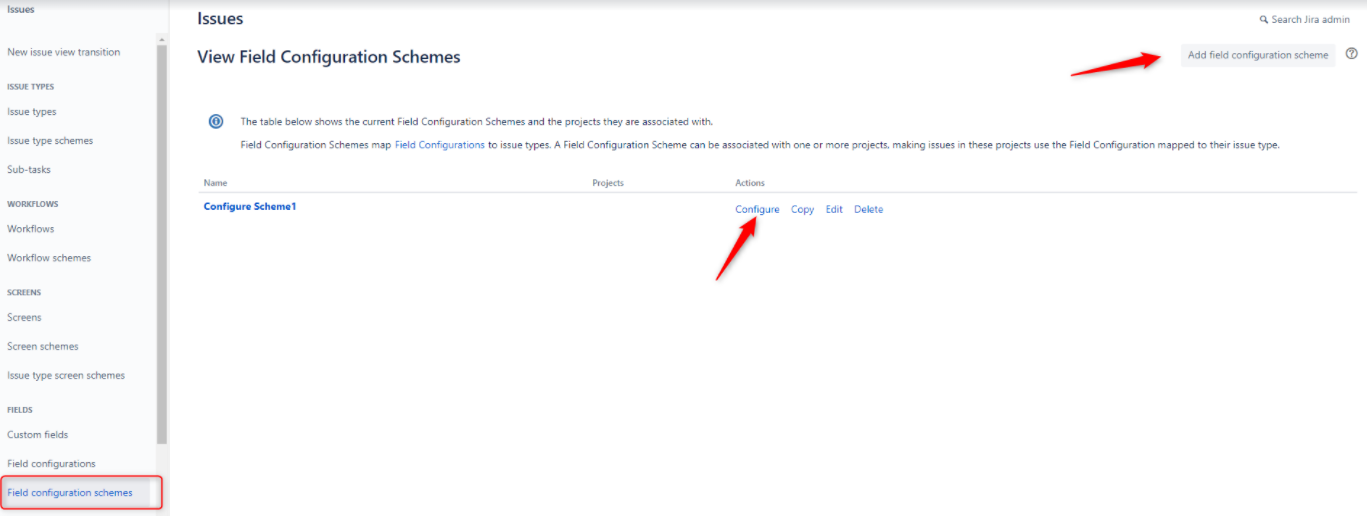
-
Click Associate an issue type with a field configuration.
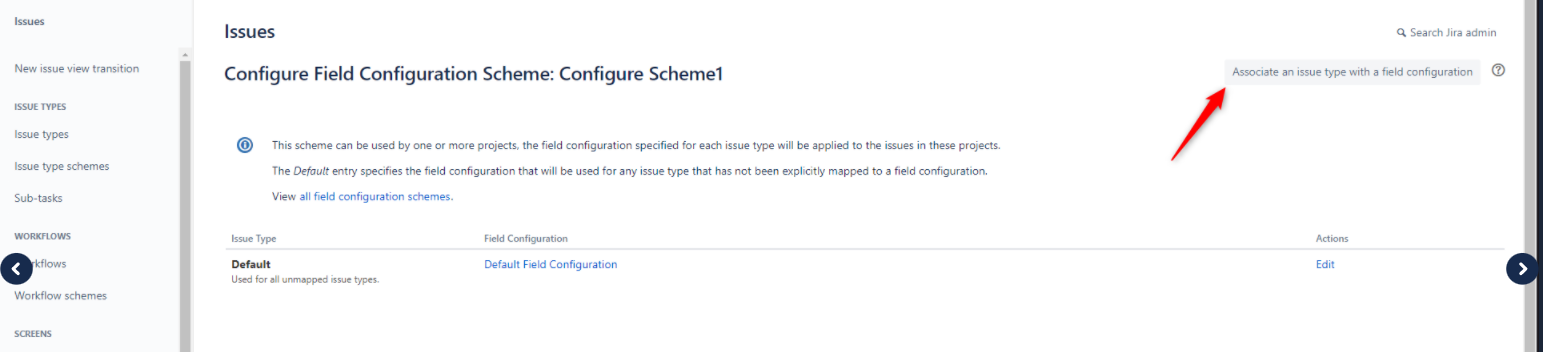
-
Choose Issue Type: WS Issue, Field Configuration: Mend - field configurations (as created in Step 1).
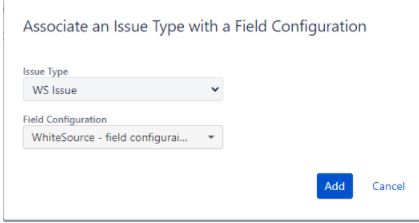
Step 4
-
Click on Jira Setting > Projects
-
Look for the project for which you want to exclude the settings, click the three dots (…) and then select Project Settings.

-
Click Fields under the Issues section.
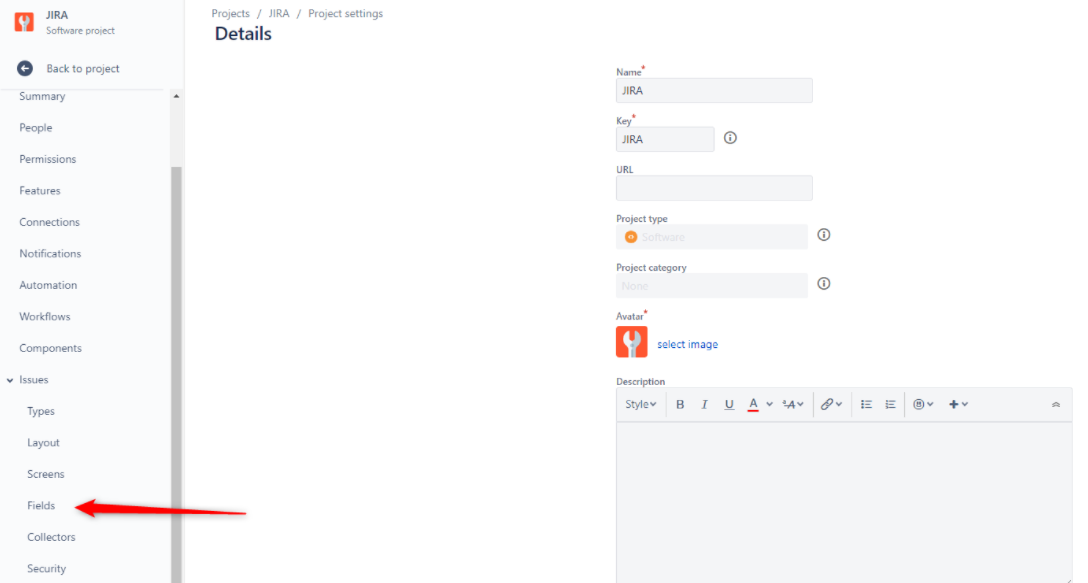
-
Click on the setting box and then Use a different scheme.
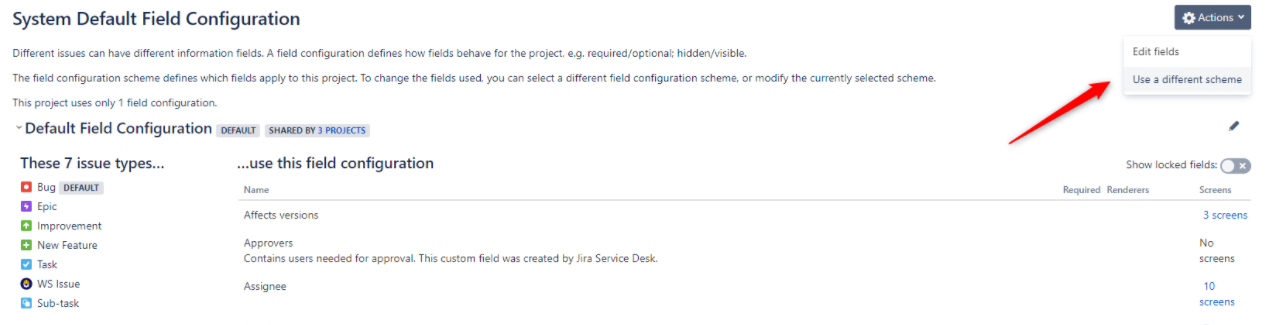
-
Choose the field configuration scheme edited in Step 3 and click Associate.
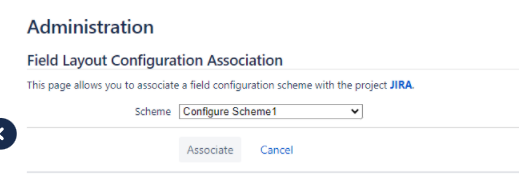
All the issue types are now associated with the default field configuration except for the Mend issue.